Implementing Virtual MCP For Your AI Stack
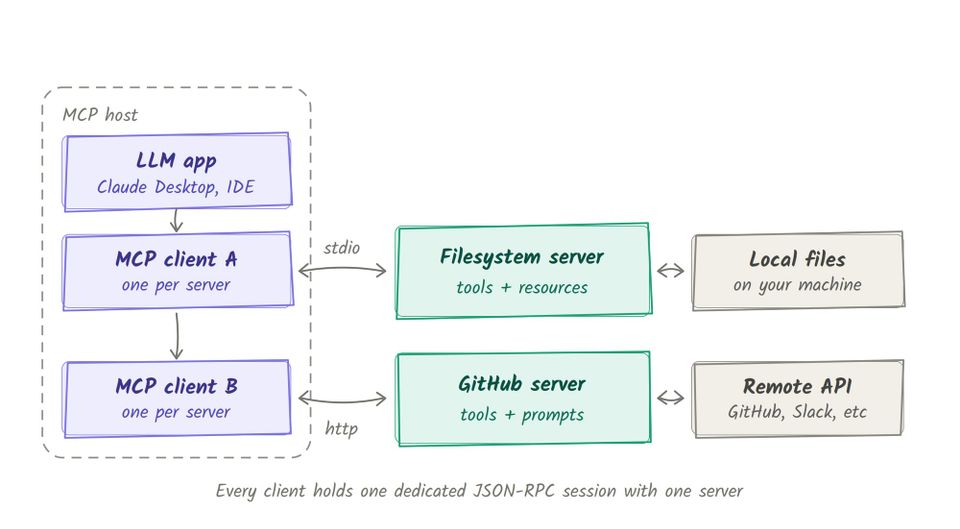
The MCP protocol can now be stateful or stateless, ingest only one tool to the Agent, call API endpoints, and use functions/methods in a codebase as tools. The one concern still, however, is "with all of these tools/MCP Servers, I have multiple endpoints that I need to program my Agents to use".
In short, what about federating MCP Servers?
Enter Virtual MCP.
Prerequisites
To follow along with this blog post in a hands-on fashion, you will need:
- A k8s cluster (running one locally like in
kindis fine). - A GitHub Personal Access Token (PAT).
- Agentgateway OSS installed.
Various Forms Of MCP
Model Context Protocol (MCP) is the current standard for Agents to call custom tools for what they're trying to accomplish. For example, an Agent can call the search_repositories tool via the GitHub Copilot MCP Server. Although an Agent can make direct API calls, MCP gives us a standard protocol to secure, govern, and observe.
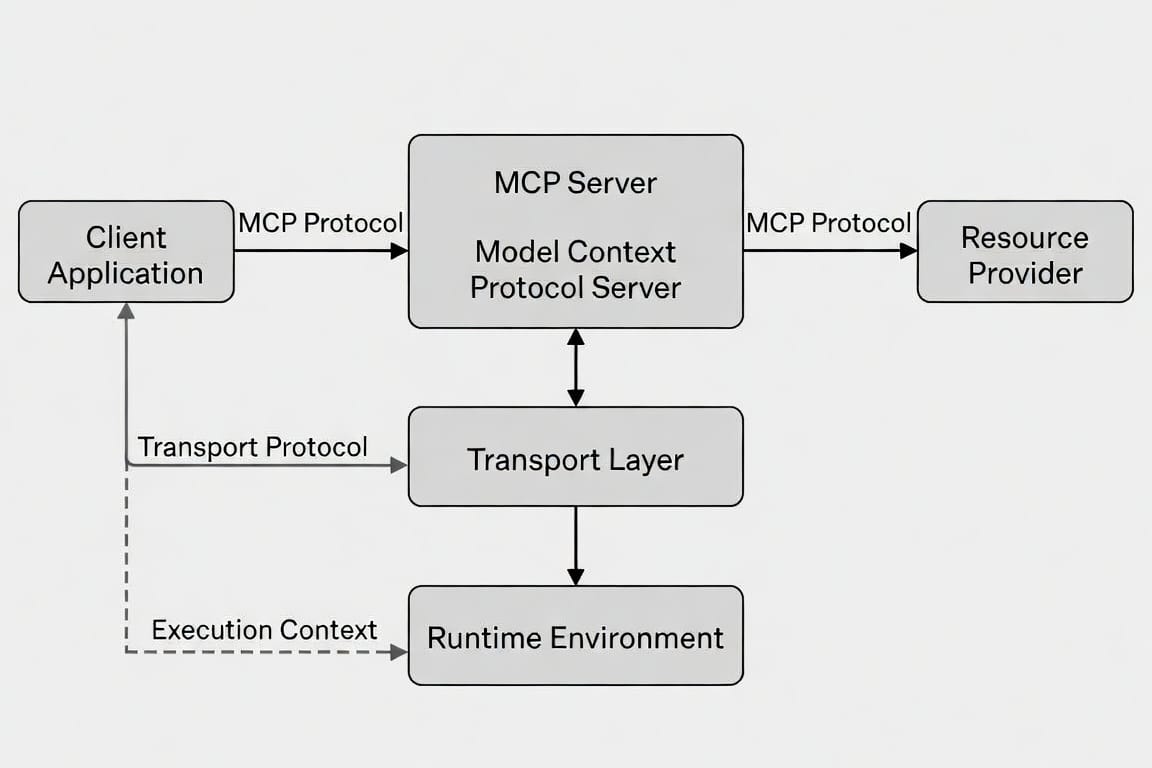
- Standard MCP connections: use an MCP Gateway to reach an MCP Server.
- Stateless MCP: new protocol as of July 28th. No more session ID, which means the MCP call is stateless. Great for things like being able to round-robin MCP servers easily.
- Stateful MCP: stateful workload with a session ID.
- Progressive Disclosure: Two tools exposed (
run_toolandget_tool). That way, the Agent doesn't consume a ton of tool schemas and eat up tokens/context. You can still use the other tools by calling them. - Code Mode:
run_codetool exposed to reach the functions/methods in your API endpoint. - Composable MCP: one MCP tool that the gateway builds for you by chaining other API calls. You name a tool (e.g.,
github_summary) and list the HTTP/MCP steps inside it. The Agent only sees that one tool plus its inputSchema (name, maybe timezone). It never seesGET /users/{name}orGET /users/{name}/repos. The APIs you're calling are programmatic endpoints, not traditional MCP Server tools.
But there is one missing - a method that allows you to take multiple MCP Servers with various tools and call them in one path. That's where Virtual MCP comes into play.
Virtual MCP
Tldr; MCP Server Federation.
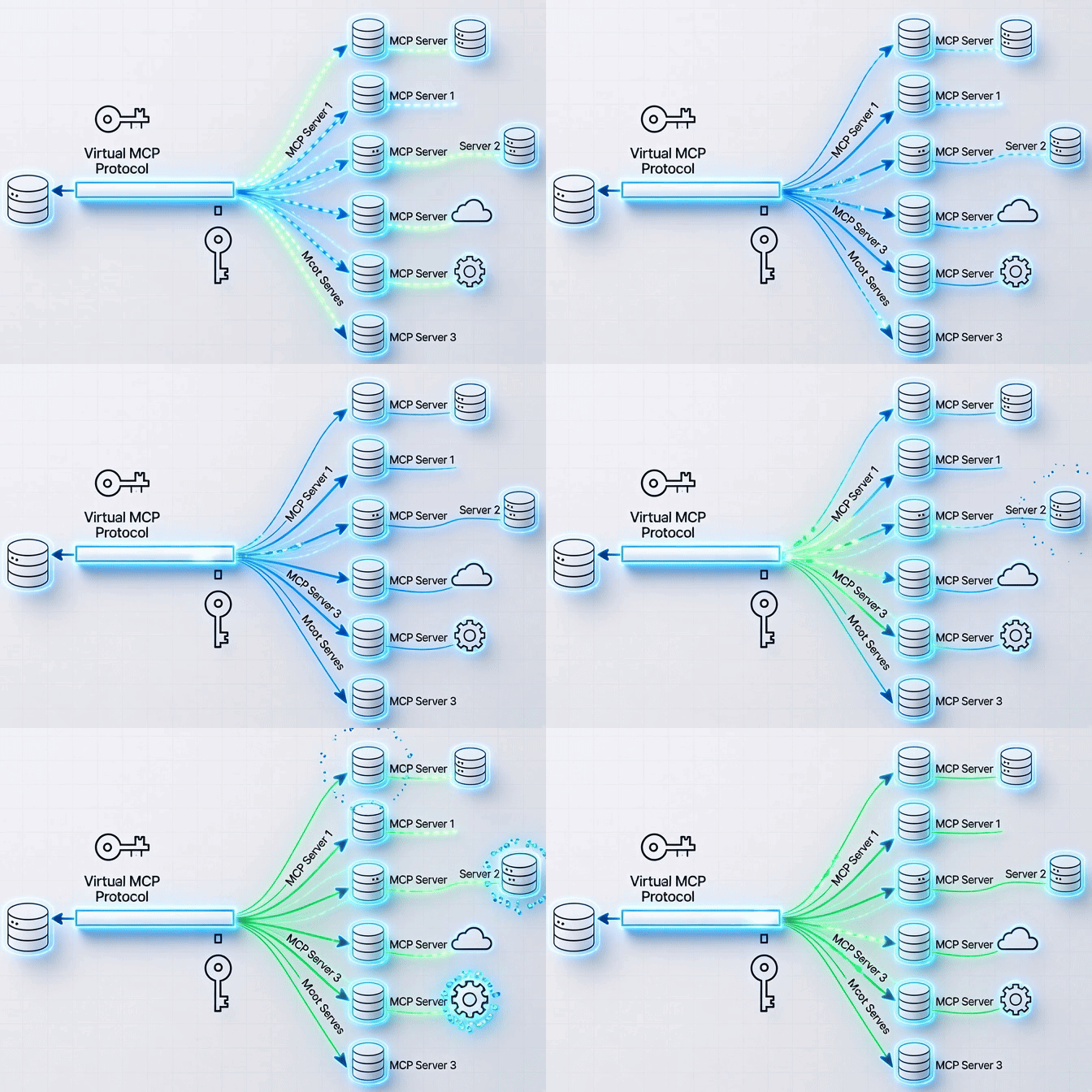
Because MCP is now the standard for Agents to interact with tools programmatically, many organizations are adopting it.
The problem is, "What if I have 50 MCP Servers? Do I need Gateways, Backends, and Routes to each?" and when you think about it, at scale, that's a big concern.
Virtual MCP aims to solve that. It gives you the ability to route to multiple MCP Servers and the tools within the MCP Servers from one Gateway/Backend/Route.
Implementing Virtual MCP
In this section, you will learn how to deploy Virtual MCP. To do this, there will be two MCP Servers:
- One that you host locally.
- An MCP Server hosted by a provider.
- Deploy the
mcp-server-everythingMCP Server as a k8s Deployment with a k8s Service sitting in front of it.
kubectl apply -n agentgateway-system -f- <<EOF
apiVersion: apps/v1
kind: Deployment
metadata:
  name: mcp-server-everything
  labels:
    app: mcp-server-everything
spec:
  replicas: 1
  selector:
    matchLabels:
      app: mcp-server-everything
  template:
    metadata:
      labels:
        app: mcp-server-everything
    spec:
      containers:
        - name: mcp-server-everything
          image: node:20-alpine
          command: ["npx"]
          args: ["-y", "@modelcontextprotocol/server-everything", "streamableHttp"]
          ports:
            - containerPort: 3001
          readinessProbe:
            tcpSocket:
              port: 3001
            initialDelaySeconds: 2
            periodSeconds: 2
            failureThreshold: 30
---
apiVersion: v1
kind: Service
metadata:
  name: mcp-server-everything
  labels:
    app: mcp-server-everything
spec:
  selector:
    app: mcp-server-everything
  ports:
    - protocol: TCP
      port: 3001
      targetPort: 3001
      appProtocol: agentgateway.dev/mcp
  type: ClusterIP
EOF
- Create a Secret with your GitHub PAT. This is so you can authenticate to the GitHub Copilot MCP Server.
export GITHUB_PAT=

kubectl apply -f- <<EOF
apiVersion: v1
kind: Secret
metadata:
  name: github-pat
  namespace: agentgateway-system
type: Opaque
stringData:
  Authorization: "Bearer ${GITHUB_PAT}"
EOF- Create a Gateway object (its utilizing the Kubernetes Gateway API CRDs) that listens on port
3000for all MCP traffic.
kubectl apply -f- <<EOF
apiVersion: gateway.networking.k8s.io/v1
kind: Gateway
metadata:
  name: virtual-mcp-gateway
  namespace: agentgateway-system
spec:
  gatewayClassName: enterprise-agentgateway
  listeners:
    - name: http
      port: 3000
      protocol: HTTP
      allowedRoutes:
        namespaces:
          from: Same
EOF- Create the agentgateway backend that tells the Gateway what to route to. There will be two targets:
- The MCP Everything Server.
- The GitHub Copilot MCP Server.
kubectl apply -f- <<EOF
apiVersion: agentgateway.dev/v1alpha1
kind: AgentgatewayBackend
metadata:
  name: virtual-mcp
  namespace: agentgateway-system
spec:
  mcp:
    failureMode: FailOpen
    targets:
      - name: mcp-server-everything
        selector:
          services:
            matchLabels:
              app: mcp-server-everything
      - name: github-copilot
        static:
          host: api.githubcopilot.com
          port: 443
          path: /mcp/
          protocol: StreamableHTTP
          policies:
            tls:
              sni: api.githubcopilot.com
            auth:
              secretRef:
                name: github-pat
EOFfailureMode: FailClosed, which means if one of the MCP endpoints (one of your MCP servers) fail, the entire session fails. In other words, if one MCP server fails, you can't access the others. To switc this, you can use the FailOpen failure mode instead.- Create the HTTPRoute so there is a path to route to so a client or an Agent can access the various tools within both MCP Servers.
kubectl apply -f- <<EOF
apiVersion: gateway.networking.k8s.io/v1
kind: HTTPRoute
metadata:
  name: virtual-mcp
  namespace: agentgateway-system
spec:
  parentRefs:
    - name: virtual-mcp-gateway
  rules:
    - matches:
        - path:
            type: PathPrefix
            value: /mcp
      filters:
        - type: CORS
          cors:
            allowOrigins:
              - "http://localhost:8080"
            allowMethods:
              - "*"
            allowHeaders:
              - "*"
      backendRefs:
        - name: virtual-mcp
          group: agentgateway.dev
          kind: AgentgatewayBackend
EOFCongrats! You've officially implemented Virtual MCP so you can access various tools from different MCP Servers in one Gateway.
Wrapping Up
Without the ability to have one endpoint for Agents to interact with various MCP Server tools, MCP doesn't scale. It's unmanageable for organizations to have tens or hundreds of endpoints and connect Agents to them individually. Virtual MCP solves this problem.

Comments ()