Implementing A Registry For Anthropic Skills With Agentregistry
Everything Agent, Model, and MCP Server related right now is spread across countless packages, libraries, providers, and you realistically have no way of knowing if any of it is secure, stable, or production ready.
That's where a specific registry for all of your agentic workloads comes into play.
In this blog, you'll learn one method of implementation with agentregistry.
Prerequisites
To follow along with this blog post in a hands-on fashion, you'll need to have the following:
- Docker Desktop installed and running.
What Are Skills?
In the title of this blog post, you may have noticed the word "Skills" used, which is a new implementation method from Anthropic for your Agents.
Skills are almost like an external RAG. You have the ability to set up:
- A Skills file (
SKILLS.md) for any instruction that you want your Agent to follow. - Directories to store documents, code, and further instructions that your Agent can follow.
It's essentially a package that's externally saved for all of your agents to talk to for specific information for what the agent needs to do.
As an example - you have a financial Agent that you use for day trading. You may be using a public LLM (Claude, GPT, Gemini, etc.) and although it has general information about day trading, you want it to be an expert. You'd create a skill that has an MD file for instructions to follow (all procedural-based) along with perhaps a few scripts that make API calls to public-facing day trading sites to get metrics and information on how the market is going and then you can feed the market info into the Agent via the skill. It may even have a few documents that you put together on how to become a day trading expert.
Why A New Registry
The next piece in the title of this blog post was something called "agentregistry", which is arguably one of the most important pieces of agentic implementations right now. The reason why is because as of now, Agents, Models, MCP Servers, and Skills can live anywhere. You can have an MCP Server sitting in some Git repo/package via PyPi that you're using in production and have zero governance over. There's no true "storage/central location" for anything agentic-related that can have security, reliability, and production-ready checks running against it.
That's where agentregistry comes into play.
Much like how you'd use something like Dockerhub to store container images, scan those container images, ensure that they are verified, and know that real vendors/people are creating/maintaining them, agentregistry gives you all of the same except for your AI worklodas.
Installing and Configuring Agentregistry
Now that you know a bit about agentregistry and why it's important, let's install the agentregistry CLI, create a new Anthropic Skill and publish it to agentregistry.
Installation
- Install the agentregistry CTL
curl -fsSL https://raw.githubusercontent.com/agentregistry-dev/agentregistry/main/scripts/get-arctl | bash- Run
arctland you should see an output similar to the below.
arctl
arctl is a CLI tool for managing MCP servers, skills, and registries.

Usage:
  arctl [command]

Available Commands:
  agent       Manage agents
  completion  Generate the autocompletion script for the specified shell
  configure   Configure a client
  deploy      Deploy a resource
  help        Help about any command
  list        List resources from connected registries
  mcp         Manage MCP servers
  remove      Remove a deployed resource
  run         Run a resource
  show        Show details of a resource
  skill       Manage Claude Skills
  version     Show version information

Flags:
  -h, --help      help for arctl
  -V, --verbose   Verbose output

Use "arctl [command] --help" for more information about a command.
Create A Skill With Agentgateway Scaffolding
- Create a new skill with agentregistry scaffolding.
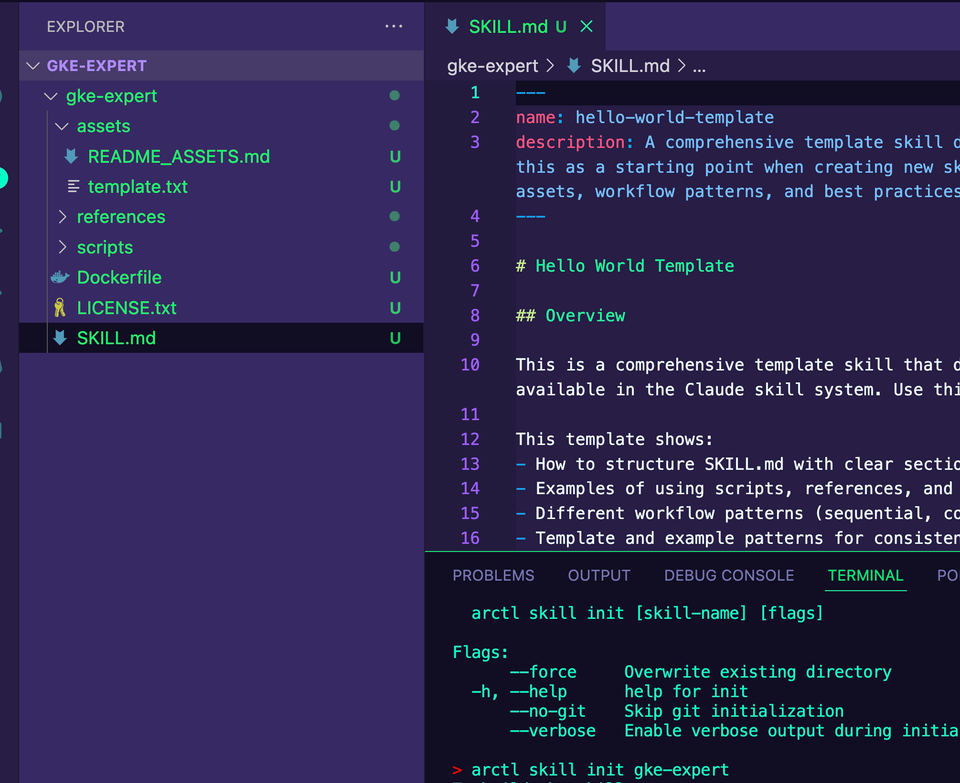
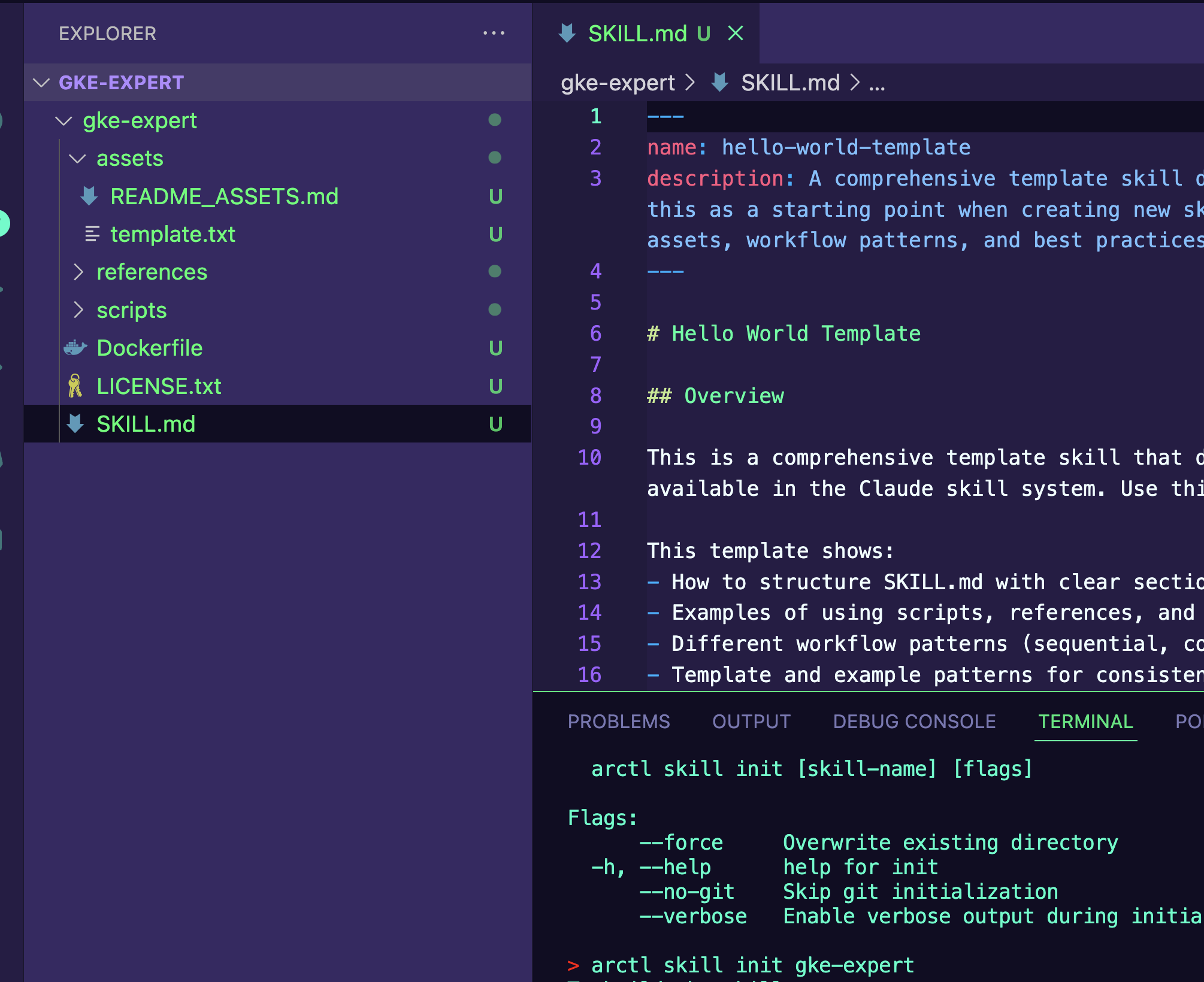
arctl skill init gke-expertYou'll now see scaffolding similar to the below.
Develop A Skill
With the scaffolding for the Skill created, let's customize this Skill to have a specific job. For the purposes of this blog post, the Skill will be a Google Kubernetes Engine (GKE) expert.
- Open up the
SKILLS.mdfile and copy/paste in the following skill.
---
name: gke-expert
description: Expert guidance for Google Kubernetes Engine (GKE) operations including cluster management, workload deployment, scaling, monitoring, troubleshooting, and optimization. Use when working with GKE clusters, Kubernetes deployments on GCP, container orchestration, or when users need help with kubectl commands, GKE networking, autoscaling, workload identity, or GKE-specific features like Autopilot, Binary Authorization, or Config Sync.
---

# GKE Expert

Initial Assessment
When user requests GKE help, determine:

Cluster type: Autopilot or Standard?
Task: Create, Deploy, Scale, Troubleshoot, or Optimize?
Environment: Dev, Staging, or Production?

Quick Start Workflows
Create Cluster
Autopilot (recommended for most):
bashgcloud container clusters create-auto CLUSTER_NAME \
  --region=REGION \
  --release-channel=regular
Standard (for specific node requirements):
bashgcloud container clusters create CLUSTER_NAME \
  --zone=ZONE \
  --num-nodes=3 \
  --enable-autoscaling \
  --min-nodes=2 \
  --max-nodes=10
Always authenticate after creation:
bashgcloud container clusters get-credentials CLUSTER_NAME --region=REGION
Deploy Application

Create deployment manifest:

yamlapiVersion: apps/v1
kind: Deployment
metadata:
  name: APP_NAME
spec:
  replicas: 3
  selector:
    matchLabels:
      app: APP_NAME
  template:
    metadata:
      labels:
        app: APP_NAME
    spec:
      containers:
      - name: APP_NAME
        image: gcr.io/PROJECT_ID/IMAGE:TAG
        ports:
        - containerPort: 8080
        resources:
          requests:
            cpu: 100m
            memory: 128Mi
          limits:
            cpu: 500m
            memory: 512Mi

Apply and expose:

bashkubectl apply -f deployment.yaml
kubectl expose deployment APP_NAME --type=LoadBalancer --port=80 --target-port=8080
Setup Autoscaling
HPA for pods:
bashkubectl autoscale deployment APP_NAME --cpu-percent=70 --min=2 --max=100
Cluster autoscaling (Standard only):
bashgcloud container clusters update CLUSTER_NAME \
  --enable-autoscaling --min-nodes=2 --max-nodes=10 --zone=ZONE
Configure Workload Identity

Enable on cluster:

bashgcloud container clusters update CLUSTER_NAME \
  --workload-pool=PROJECT_ID.svc.id.goog

Link service accounts:

bash# Create GCP service account
gcloud iam service-accounts create GSA_NAME

## Create K8s service account
kubectl create serviceaccount KSA_NAME

# Bind them
gcloud iam service-accounts add-iam-policy-binding \
  GSA_NAME@PROJECT_ID.iam.gserviceaccount.com \
  --role roles/iam.workloadIdentityUser \
  --member "serviceAccount:PROJECT_ID.svc.id.goog[default/KSA_NAME]"

# Annotate K8s SA
kubectl annotate serviceaccount KSA_NAME \
  iam.gke.io/gcp-service-account=GSA_NAME@PROJECT_ID.iam.gserviceaccount.com
Troubleshooting Guide
Pod Issues
bash# Pod not starting - check events
kubectl describe pod POD_NAME
kubectl get events --field-selector involvedObject.name=POD_NAME

## Common fixes:

### ImagePullBackOff: Check image exists and pull secrets
### CrashLoopBackOff: kubectl logs POD_NAME --previous
### Pending: kubectl describe nodes (check resources)
### OOMKilled: Increase memory limits
Service Issues
bash# No endpoints
kubectl get endpoints SERVICE_NAME
kubectl get pods -l app=APP_NAME  # Check if pods match selector

## Test connectivity
kubectl run test --image=busybox -it --rm -- wget -O- SERVICE_NAME
Performance Issues
bash# Check resource usage
kubectl top nodes
kubectl top pods --all-namespaces

## Find bottlenecks
kubectl describe resourcequotas
kubectl describe limitranges
Production Patterns
Ingress with HTTPS
yamlapiVersion: networking.k8s.io/v1
kind: Ingress
metadata:
  name: APP_NAME-ingress
  annotations:
    networking.gke.io/managed-certificates: "CERT_NAME"
spec:
  rules:
  - host: example.com
    http:
      paths:
      - path: /
        pathType: Prefix
        backend:
          service:
            name: APP_NAME
            port:
              number: 80
Pod Disruption Budget
yamlapiVersion: policy/v1
kind: PodDisruptionBudget
metadata:
  name: APP_NAME-pdb
spec:
  minAvailable: 1
  selector:
    matchLabels:
      app: APP_NAME
Security Context
yamlspec:
  securityContext:
    runAsNonRoot: true
    runAsUser: 1000
  containers:
  - name: app
    securityContext:
      allowPrivilegeEscalation: false
      readOnlyRootFilesystem: true
      capabilities:
        drop: ["ALL"]
Cost Optimization

Use Autopilot for automatic right-sizing
Enable cluster autoscaling with appropriate limits
Use Spot VMs for non-critical workloads:

bashgcloud container node-pools create spot-pool \
  --cluster=CLUSTER_NAME \
  --spot \
  --num-nodes=2

Set resource requests/limits appropriately
Use VPA for recommendations: kubectl describe vpa APP_NAME-vpa

Essential Commands
bash# Cluster management
gcloud container clusters list
kubectl config get-contexts
kubectl cluster-info

## Deployments
kubectl rollout status deployment/APP_NAME
kubectl rollout undo deployment/APP_NAME
kubectl scale deployment APP_NAME --replicas=5

## Debugging
kubectl logs -f POD_NAME --tail=50
kubectl exec -it POD_NAME -- /bin/bash
kubectl port-forward pod/POD_NAME 8080:80

## Monitoring
kubectl top nodes
kubectl top pods
kubectl get events --sort-by='.lastTimestamp'

## External Documentation

For detailed documentation beyond this skill:
- **Official GKE Docs**: https://cloud.google.com/kubernetes-engine/docs
- **kubectl Reference**: https://kubernetes.io/docs/reference/kubectl/
- **GKE Best Practices**: https://cloud.google.com/kubernetes-engine/docs/best-practices
- **Workload Identity**: https://cloud.google.com/kubernetes-engine/docs/how-to/workload-identity
- **GKE Pricing Calculator**: https://cloud.google.com/products/calculator

## Cleanup
kubectl delete all -l app=APP_NAME
kubectl drain NODE_NAME --ignore-daemonsets
Advanced Topics Reference

## For complex scenarios, consult:
Stateful workloads: Use StatefulSets with persistent volumes
Batch jobs: Use Jobs/CronJobs with appropriate backoff policies
Multi-region: Use Multi-cluster Ingress or Traffic Director
Service mesh: Install Anthos Service Mesh for advanced networking
GitOps: Implement Config Sync or Flux for declarative management
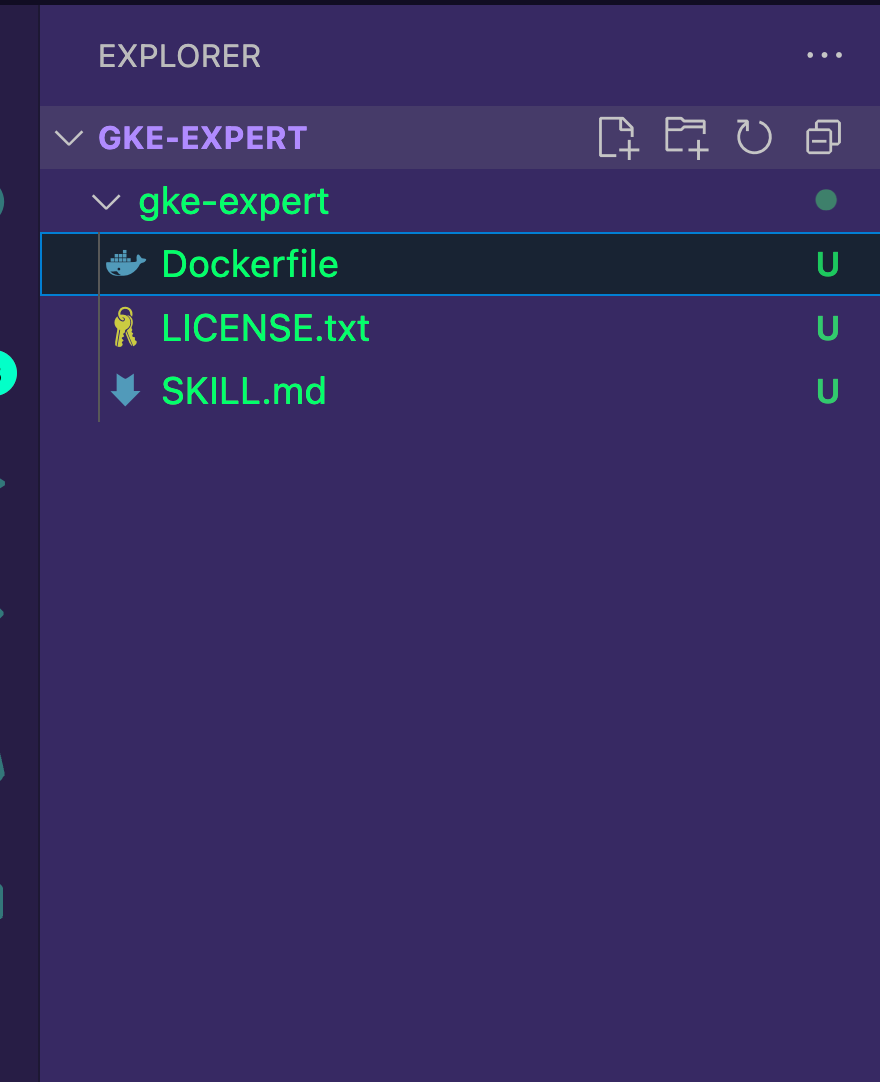
Monitoring: Integrate with Cloud Monitoring or install Prometheus- Because you don't need to put anything into the references, assets, or scripts files/directories, you can delete those directories.
Your directory structure should now look like the below.
Publish A Skill
Let's now publish the skill on Dockerhub and utilize it in agentregistry.
The below command publishes the skill as a container image to Docerhub. Dockerhub is the dependency as agentregistry doesn't store container images. It has a pointer to the container image that was built (for the Skill) in Dockerhub.
- Publish the container image skill. you'll need to update the below command to your GitHub org.
arctl skill publish . --docker-url docker.io/adminturneddevops --push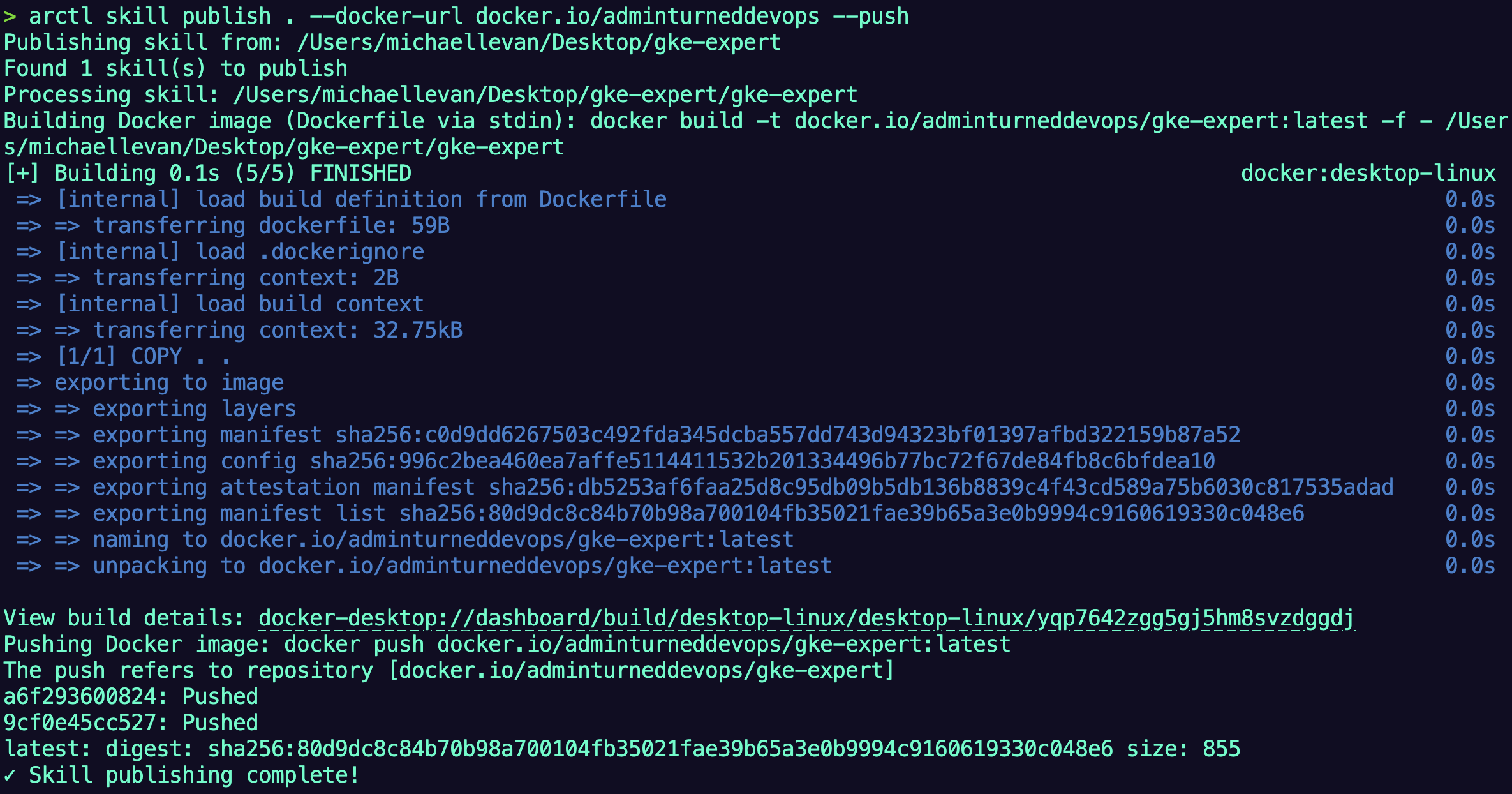
- You can test to confirm this worked by pulling the Skill locally.
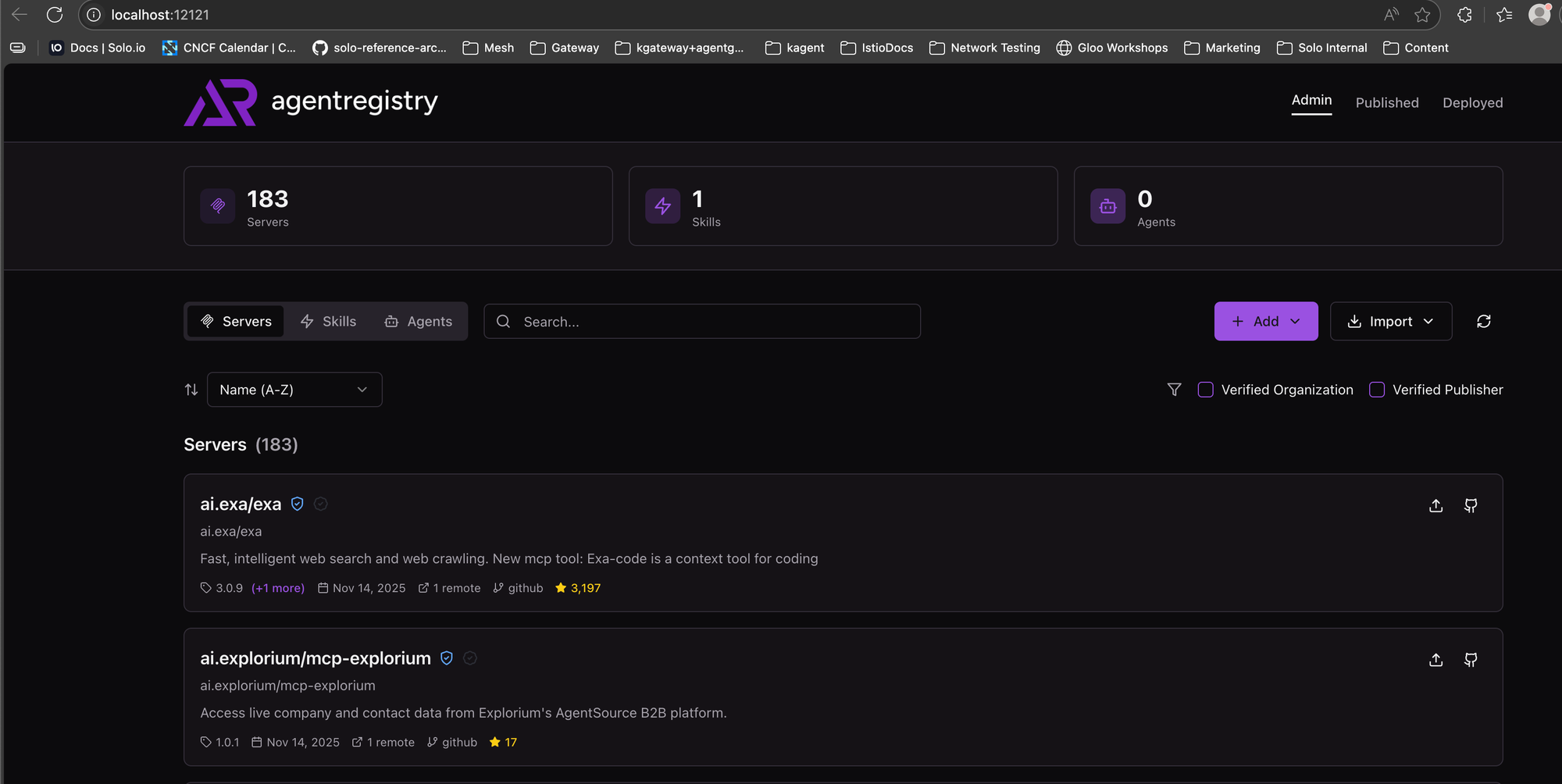
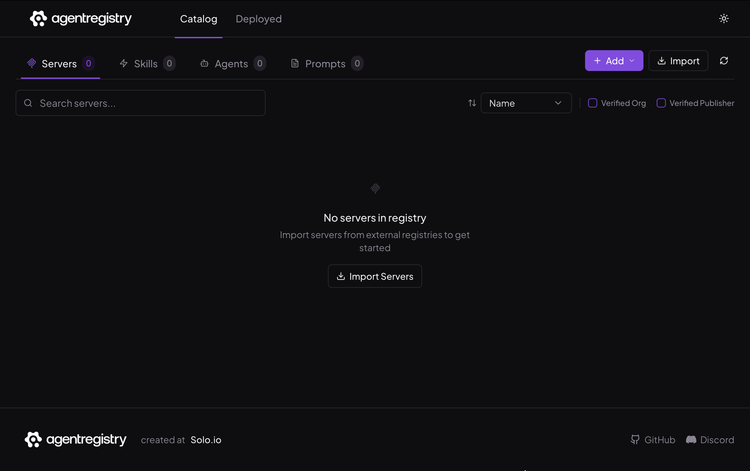
arctl skill pull gke-expert- Open the agentregistry by going to
http://localhost:12121/
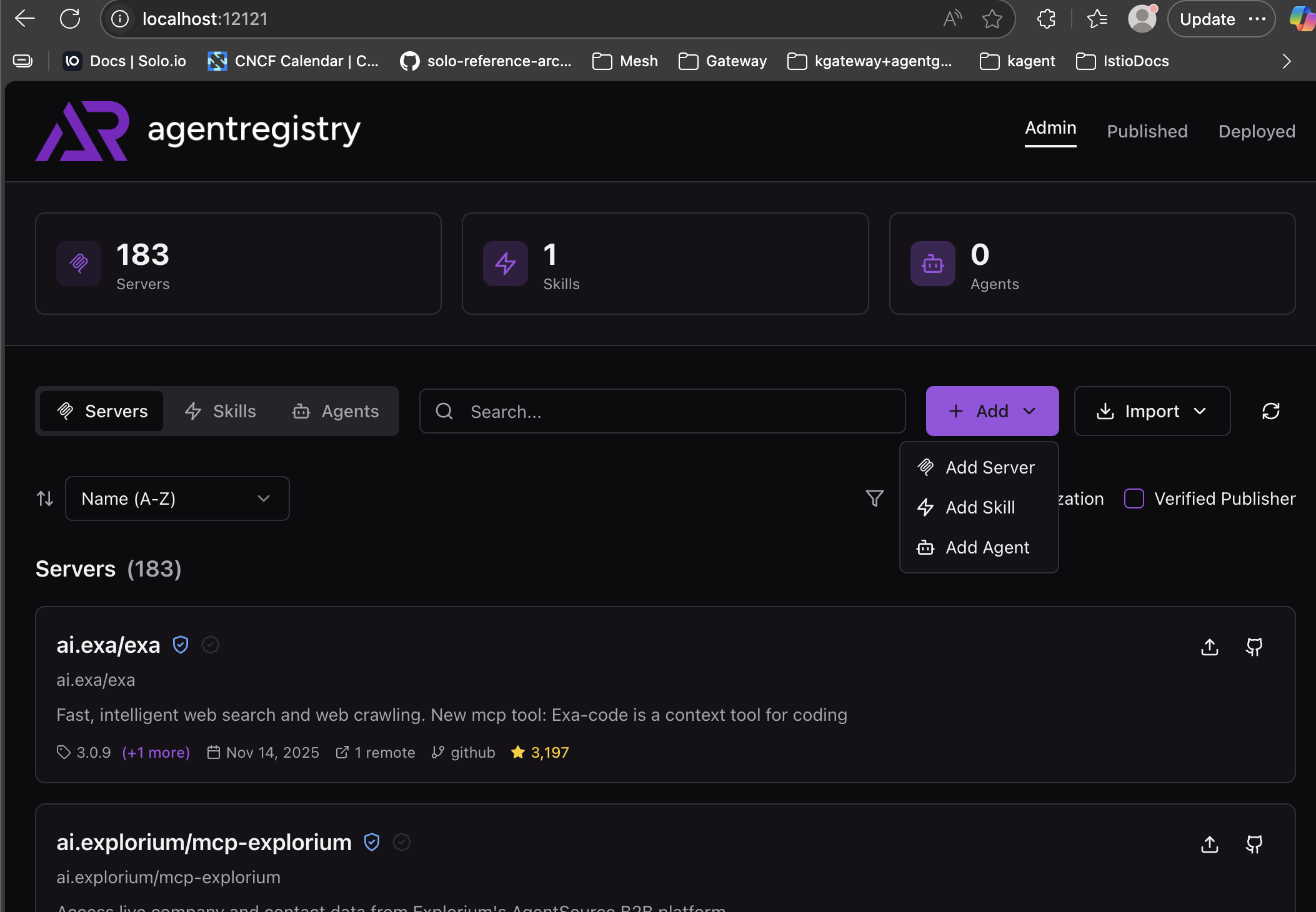
- Click the purple Add button and choose the Add Skill button.
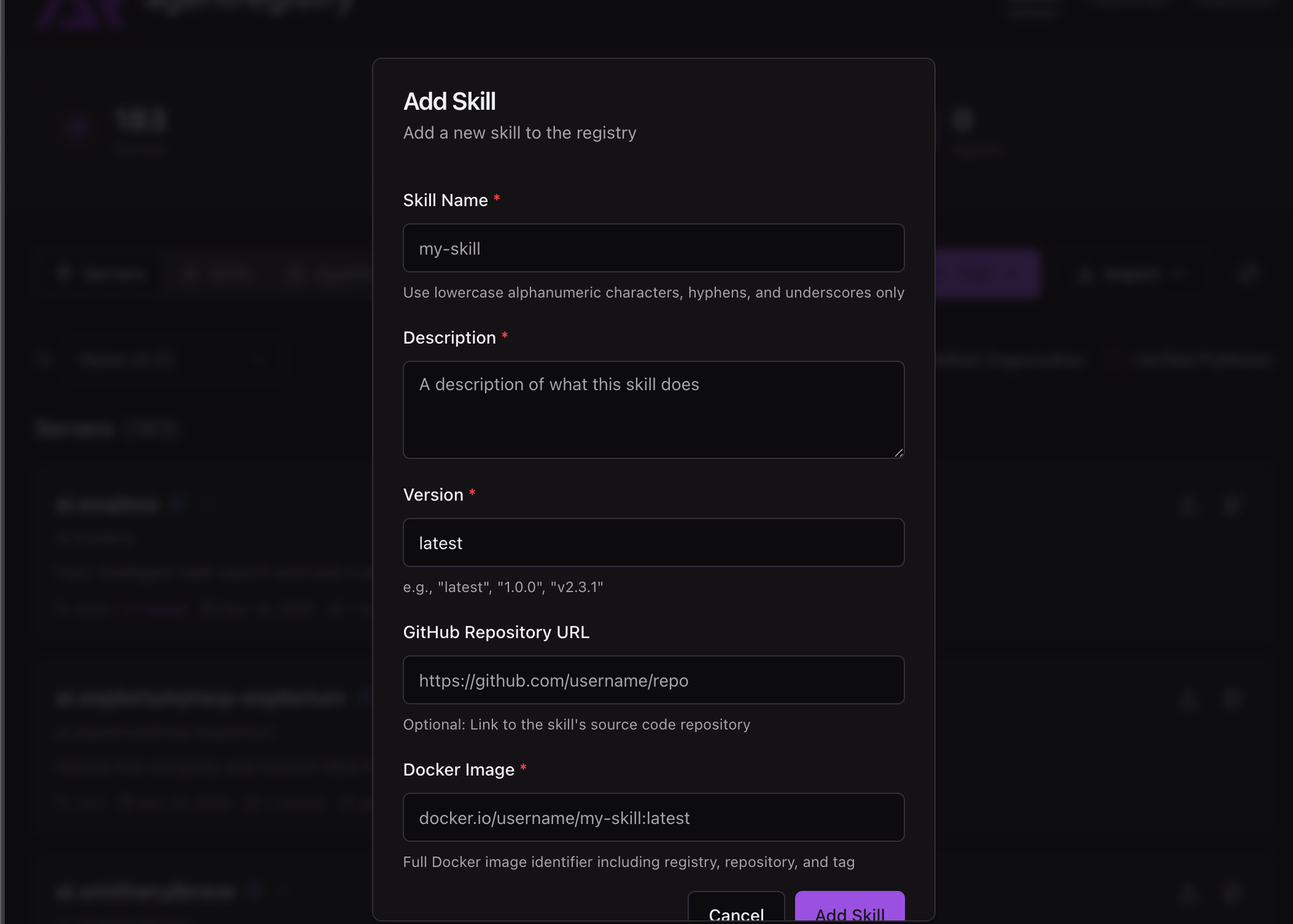
- Add your Skill in with a name, description, version, and the path to the container image hosting the Skill.
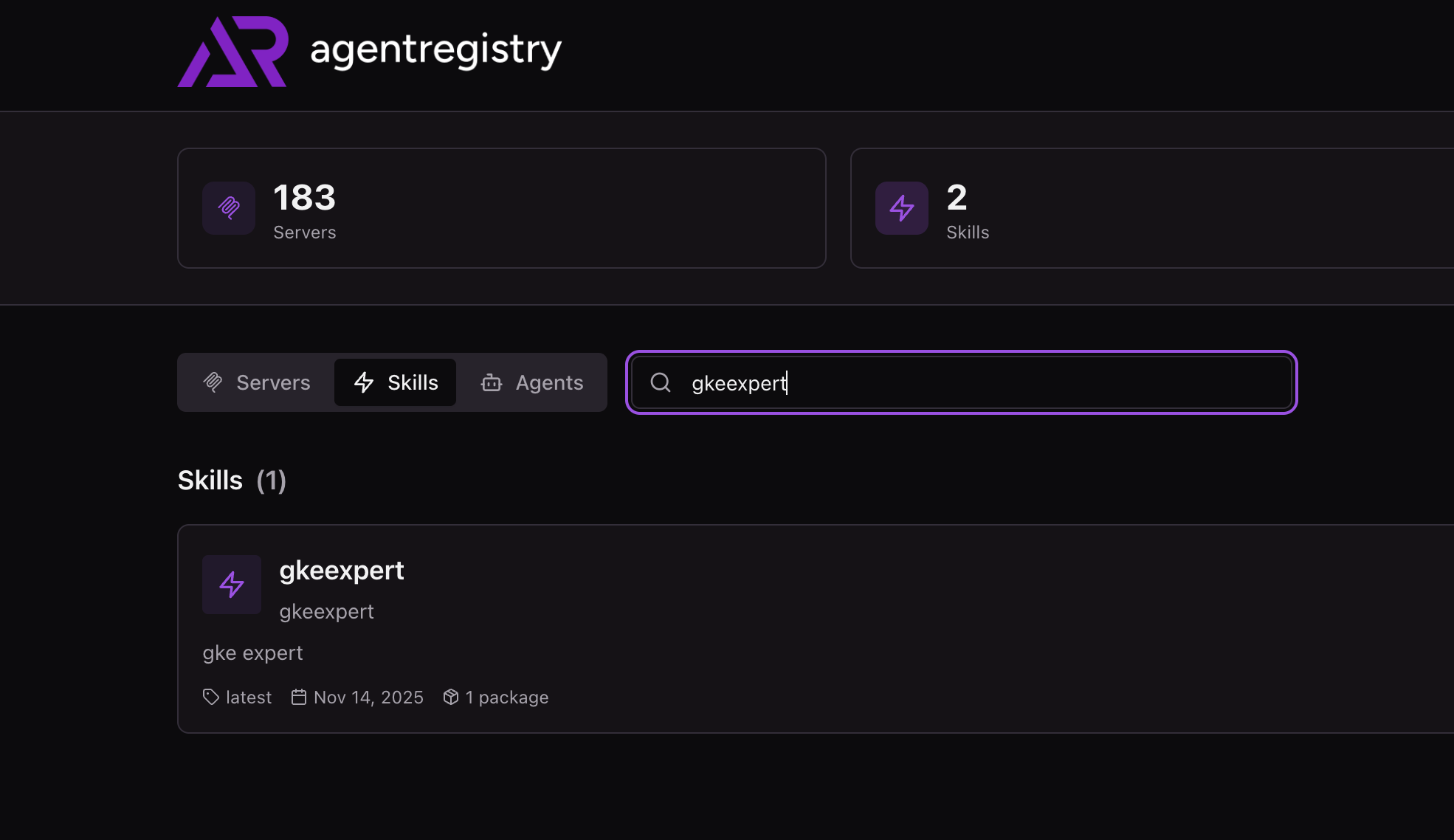
- You should now be able to see your Skill in the agentregistry UI.
You'll see that there is a new directory called skills with your Skill in it.
Congrats! You've successfully set up a new Anthropic Skill and exposed it on agentregistry.

Comments ()