Implementing An Agent Harness For Agentic Workloads
"Use this Agent Skill"
"Tweak your prompt"
"Implement this MCP tool"
There's always a "better way" to get the most out of your Agent, but what about if there were a collection of methods working together to ensure that your Agent performs as expected, or better? That's where an Agent Harness comes into play.
In this blog post, you'll learn how to think about an Agent Harness and implement one for your workloads.
Prerequisites
To follow along with this blog post in a hands-on fashion, you will need:
- A k8s cluster (local is fine).
- Kagent installed, which you can learn how to do here.
- Optional: AWS account
If you don't have any of the above, that's fine! You can still follow along from a theoretical standpoint and put it into practice later.
Agent Harness In A Nutshell
Definition: harness/ˈhärnəs/A harness is a set of fittings used to fasten an object to keep it secure.
The goal of a harness is to ensure you have what you need to move an object from point A to point B. In the world of Agentic, an "object" is the Agent. An Agent needs not only the brains of the operation (the LLM), but it also needs tools, systems, and platforms (Agent Skills, MCP Server tools, channels like Telegram and iMessage, rate limiting, and instructions) to perform at its absolute best.
I've been thinking a lot about how to break down and conceptualize a Model, an Agent, and a Harness. This is what made the most sense to me:
The Model acts as the brain of the operation (reasoning engine)
The Agent is the Operating System or Distributed System
The Agent Harness is the programs/systems/tools used with/on the Agent
A collection of components are needed to ensure that an Agent has what it needs to perform a task, whether that task is a multi-agent system for troubleshooting and working with production environments or an Agent that gives you the best chicken parm recipe.
Configuring OpenShell
For the Agent Harness with NemoClaw via kagent to work, you will need OpenShell, which is NVIDIA's Agentic sandbox.
- Deploy the Kubernetes Agent Sandbox configuration, which is currently under development via SIG Apps (from CNCF) to run isolated sandboxes directly on k8s.
kubectl apply -f https://raw.githubusercontent.com/NVIDIA/OpenShell/main/deploy/kube/manifests/agent-sandbox.yaml- Install OpenShell
helm upgrade --install openshell oci://ghcr.io/nvidia/openshell/helm-chart \
  --namespace openshell \
  --create-namespace \
  --set server.disableTls=true \
  --set server.auth.allowUnauthenticatedUsers=true \
  --set server.disableTls=true \
  --set server.disableGatewayAuth=true \
  --set service.type=ClusterIP \
--set service.metricsPort=0- Create the SSH handshake secret.
kubectl -n openshell create secret generic openshell-ssh-handshake \
--from-literal=secret=$(openssl rand -hex 32)- Upgrade your existing kagent installation to use the OpenShell gateway, which is needed for the NemoClaw-based Agent Harness.
helm upgrade kagent oci://ghcr.io/kagent-dev/kagent/helm/kagent \
  --namespace kagent \
  --reuse-values \
  --set 'controller.env[0].name=OPENSHELL_GATEWAY_URL' \
  --set 'controller.env[0].value=dns:///openshell.openshell.svc.cluster.local:8080' \
  --set 'controller.env[1].name=OPENSHELL_INSECURE' \
  --set-string 'controller.env[1].value=true'
With OpenShell configured, you can now create a Harness in kagent.
Creating A Harness In Kagent
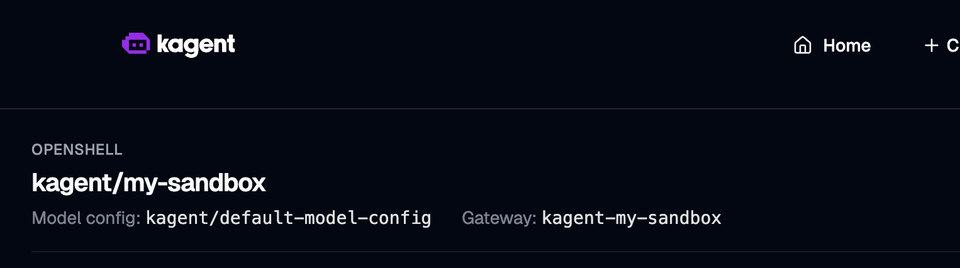
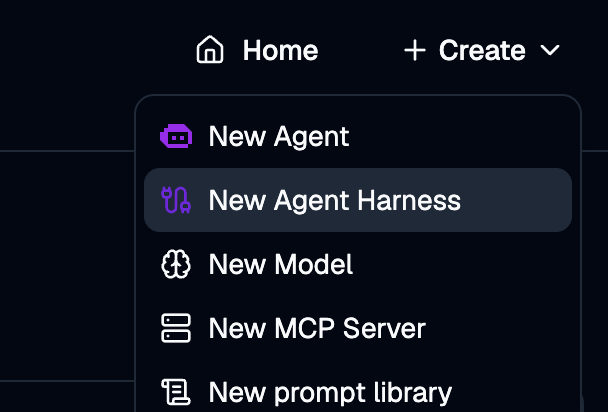
- In kagent, click the New Agent Harness option.
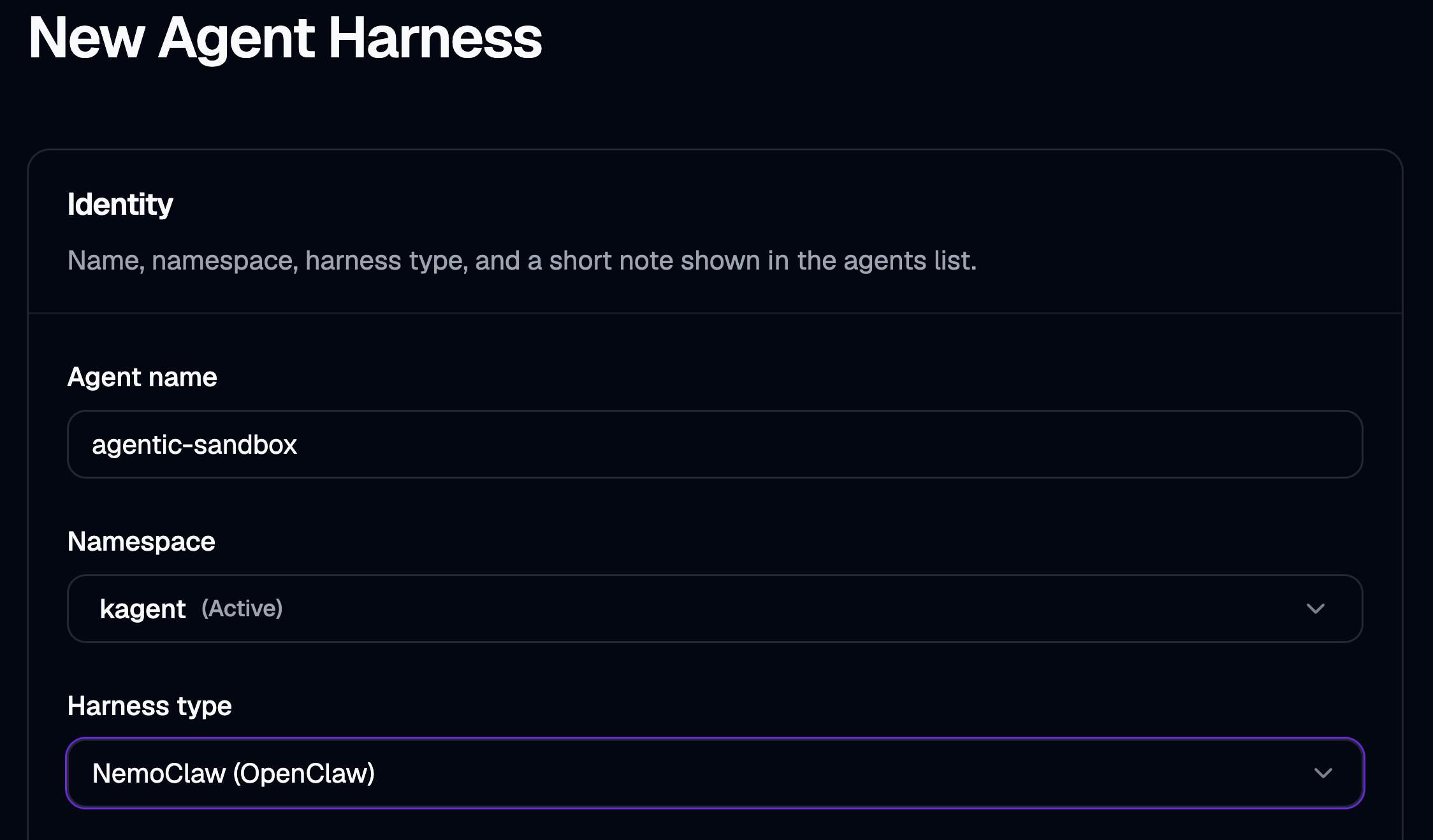
- Choose NemoClaw as the harness type.
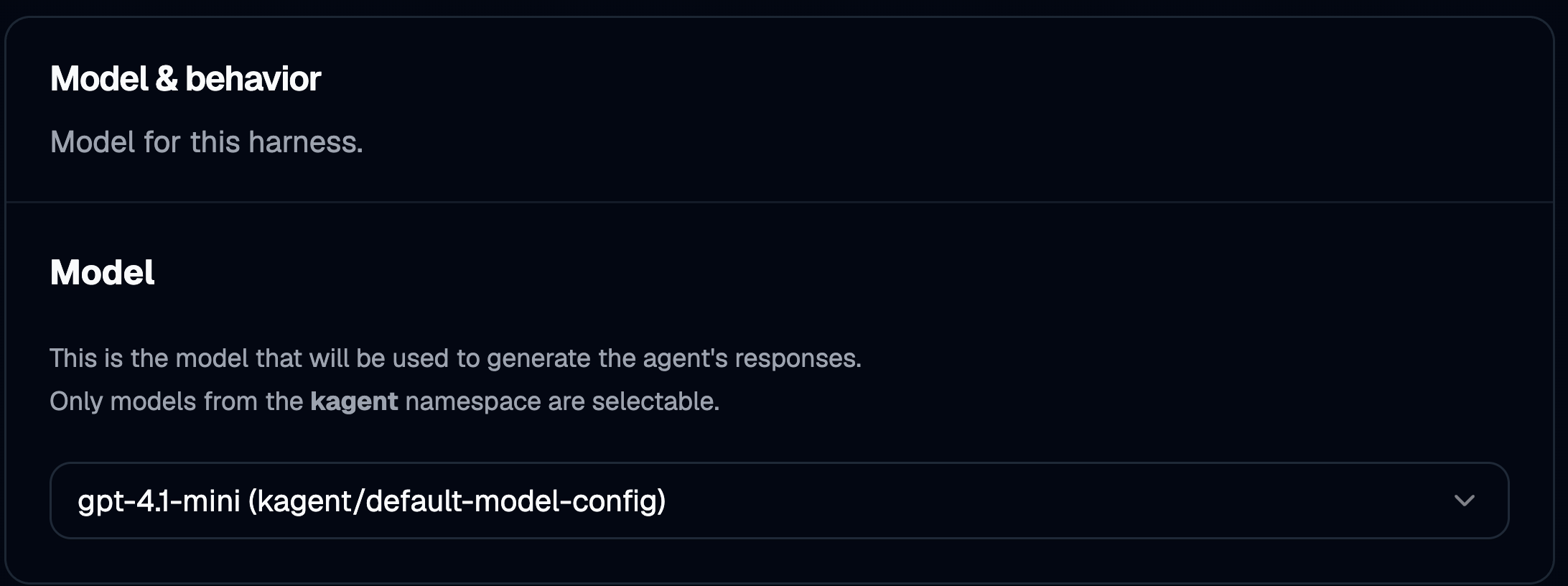
- Select the Model provider that you used to install kagent or another Model Provider that you configured after.
- You can customize the ingress/egress requests for your sandbox.
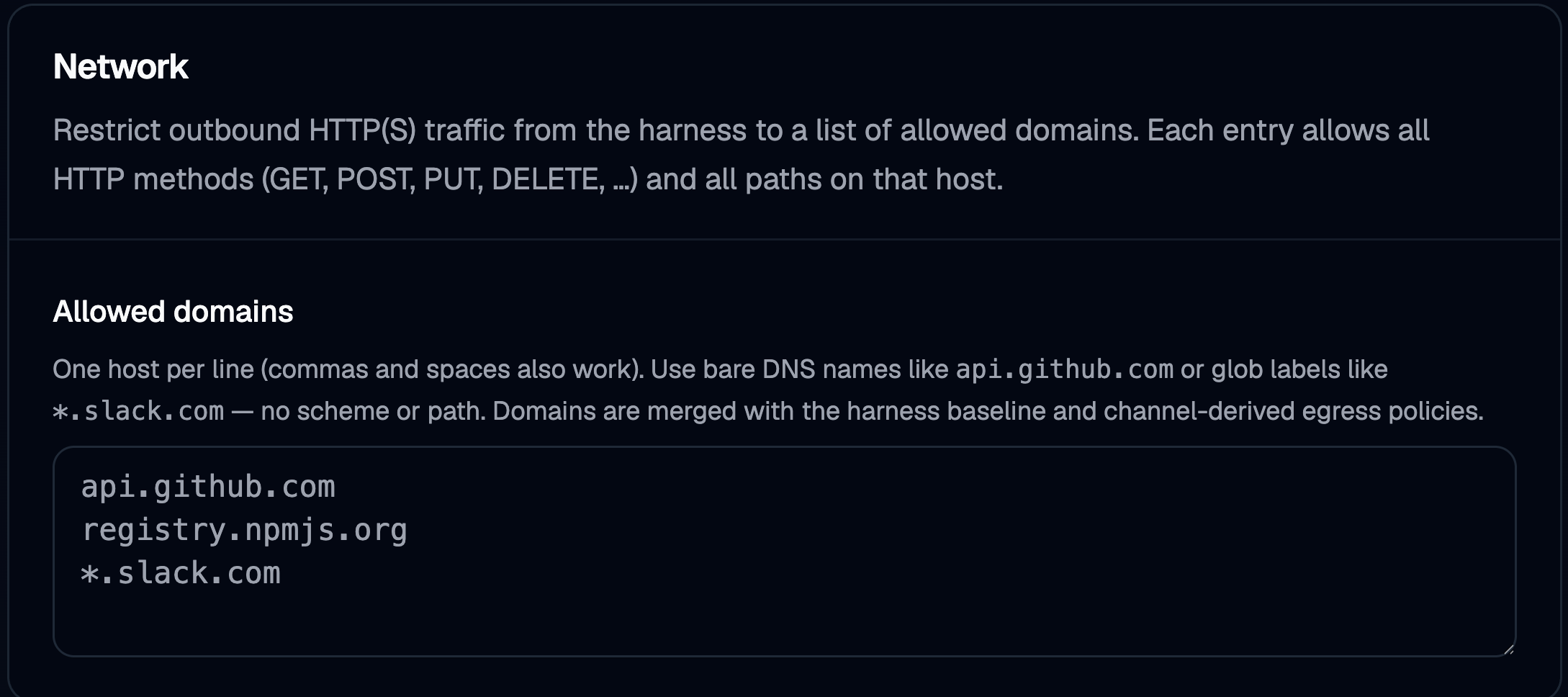
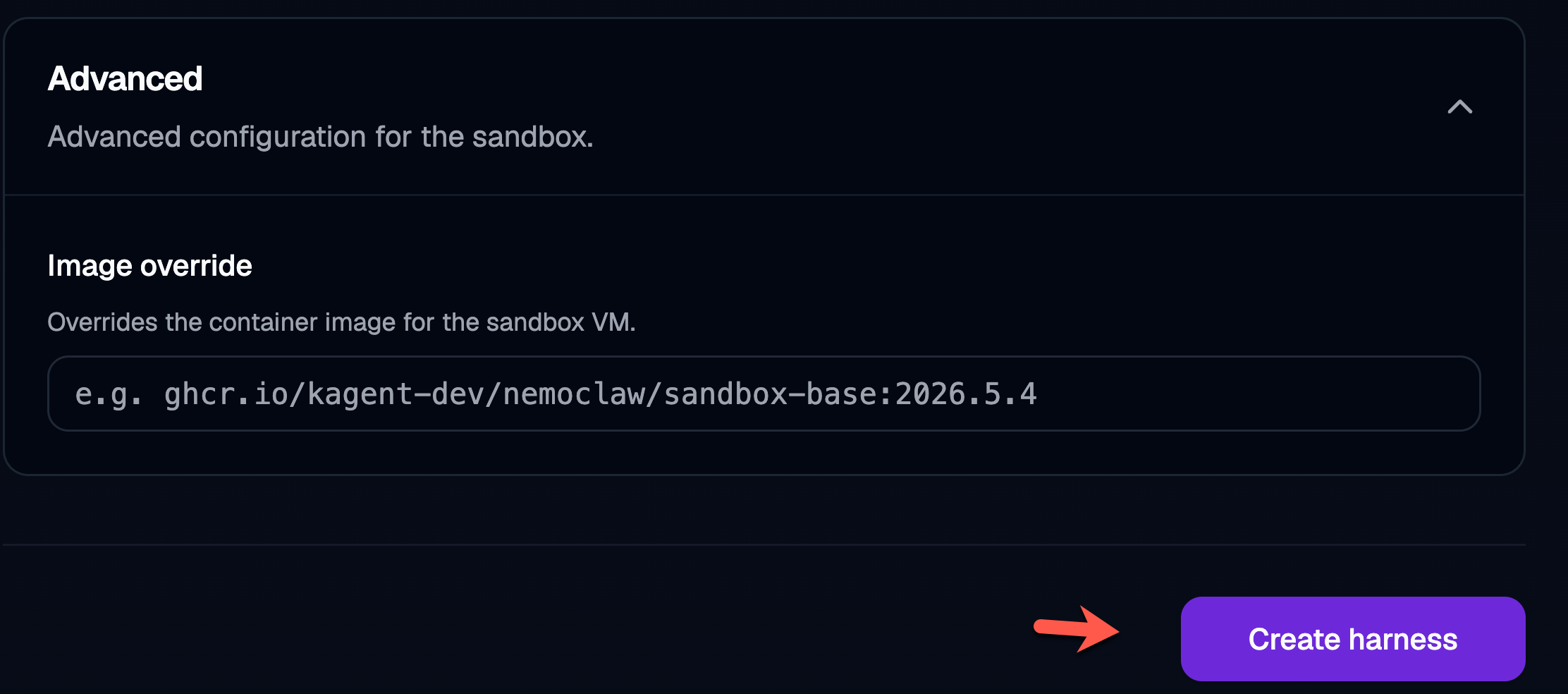
- By default the image used to deploy the sandbox is
https://github.com/orgs/kagent-dev/packages/container/package/nemoclaw%2Fsandbox-base, but if you want to use your own custom image, you can override it here.
Another option, if you prefer to implement your Agent Harness in a programmatic fashion, is to use the AgentHarness object via the kagent CRDs
kubectl apply -f - <<EOF
apiVersion: kagent.dev/v1alpha2
kind: AgentHarness
metadata:
  name: my-sandbox
  namespace: kagent
spec:
  backend: openclaw
  modelConfigRef: default-model-config
  description: "my openclaw agent"
EOF
With that, you officially have a sandbox and an Agent Harness running within your environment.
Harnesses From Cloud Providers
You'll also see Agent Harnesses within cloud providers. For example, in AWS Bedrock, there's a new Harness option that you can use to create an Agent Harness based on a particular Model provider, along with implementing what system prompts it can use.
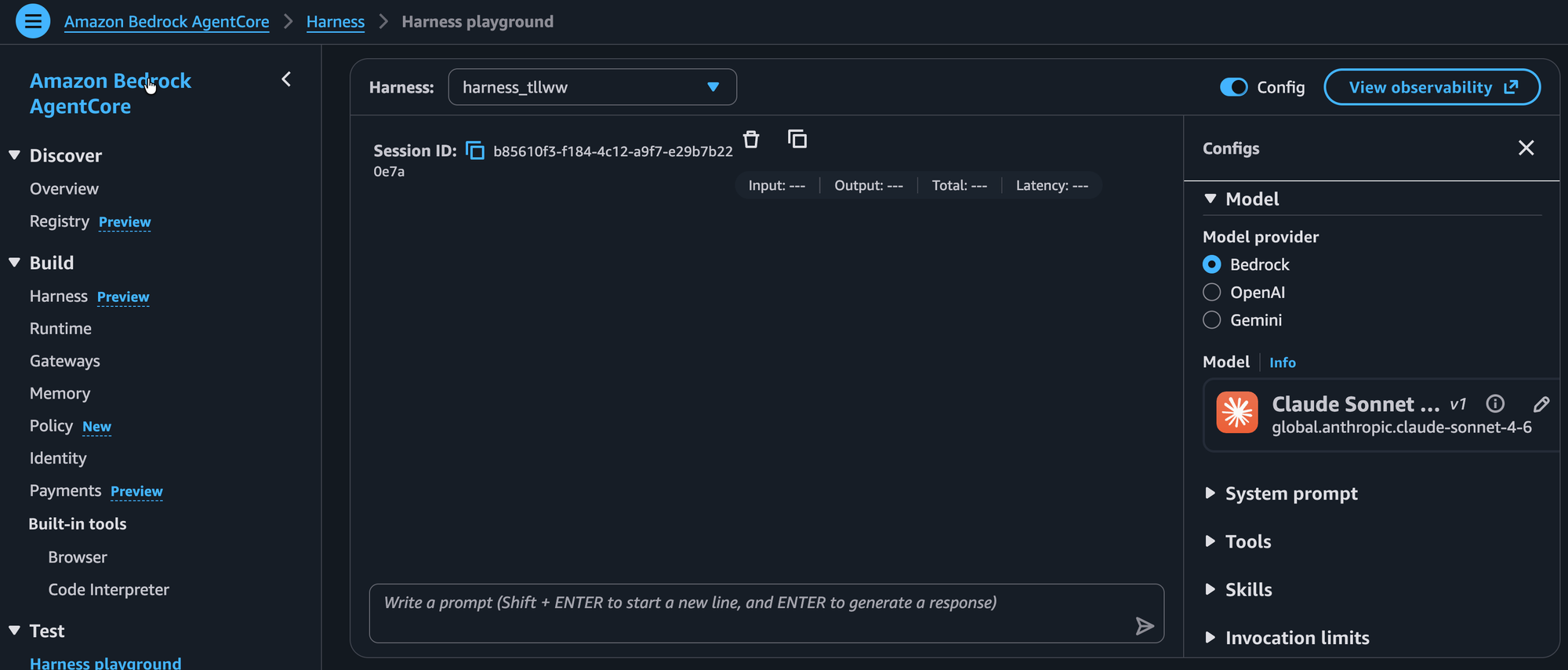
The Harness also gives you the ability to specify your MCP Server Tools and Agent Skills along with rate limits for the harness itself when it's used with the Agent that it builds and operates.
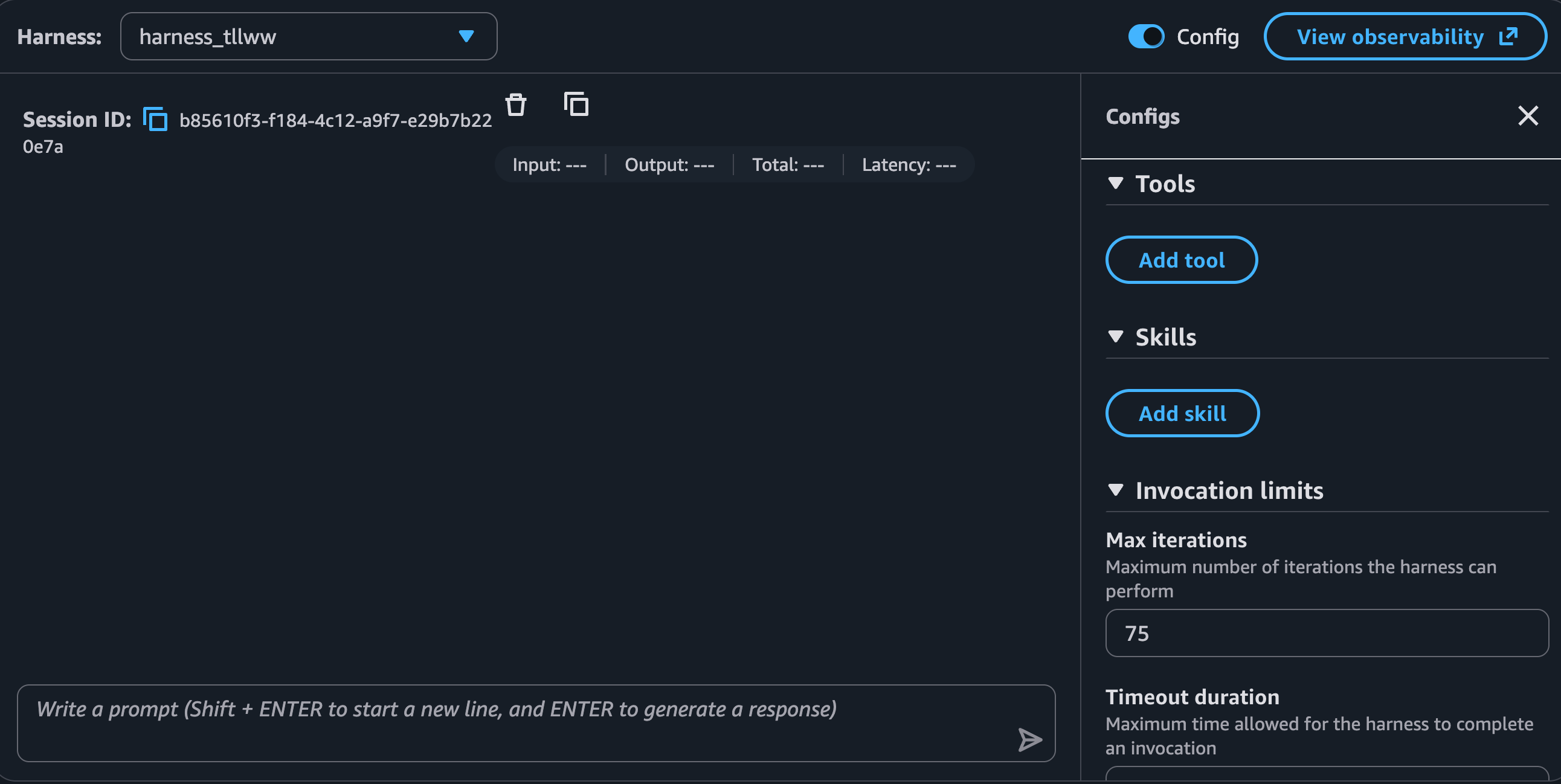
Looking at different Harnesses gives you the ability to understand the art of the possible and what direction Agent Harnesses are going in from an industry perspective.
Wrapping Up
In the world of AI Agents, Agent Harness is part of the process of creating the Agent. You don't simply attach a new or existing Agent Harness to an Agent that already exists. Instead, the Agent Harness is the system/tools/instructions that wrap around an LLM, and then it is turned into an Agent.

Comments ()