GPUs For Actors In Agent Substrate
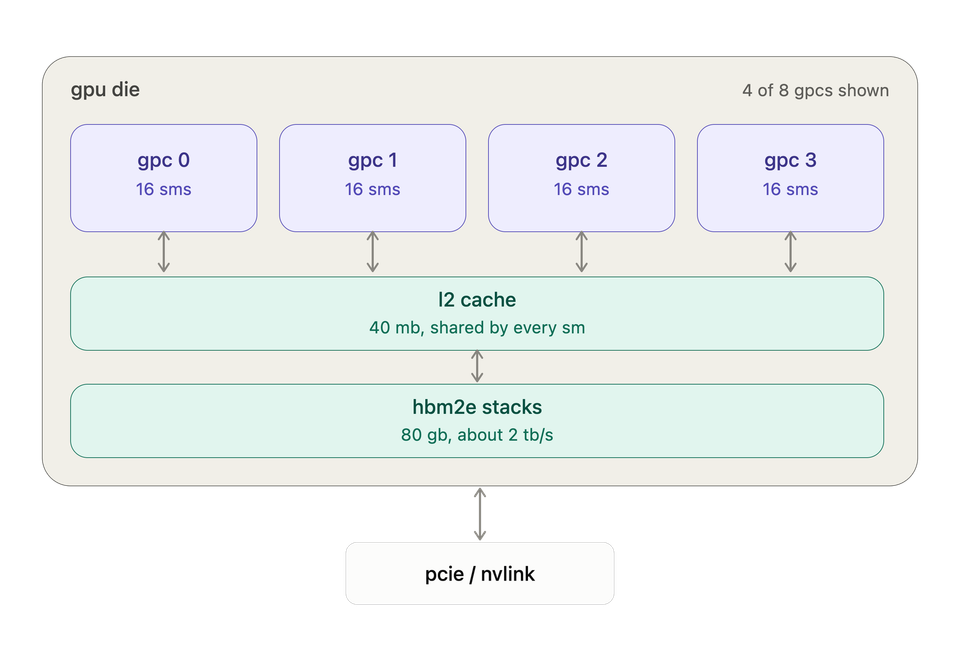
The increase in cost of GPUs and AI is hitting an all-time high, so much so that it's hard to even get GPU usage approved within a public cloud environment. Because of that, the ability to splice/share GPUs across workloads that need GPUs (apps, Agents) is a necessity not only for cost savings, but for hardware/resource savings as GPUs aren't an unlimited resource (especially nowadays).
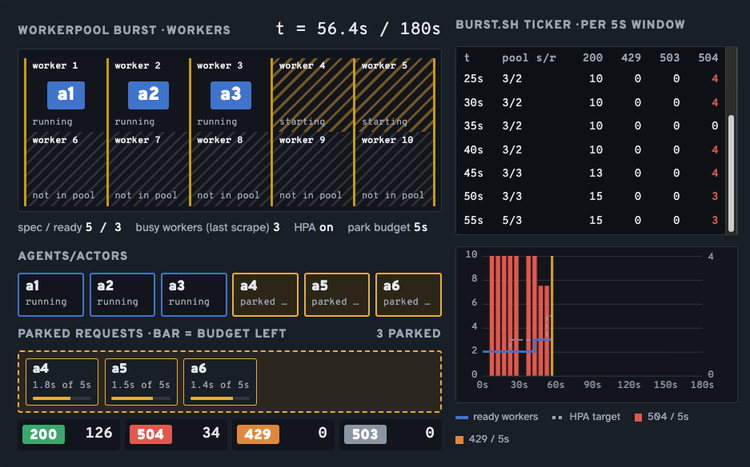
In this blog post, you'll learn how to implement CUDA (NVIDIA's parallel processing) inside an Agent Substrate Actor and see how many intermittent GPU workloads can take turns using a smaller pool of GPU-backed Substrate Workers.
Prerequisites
To follow along with this blog post from a hands-on perspective, you will need:
- A GKE or local k8s cluster (Kind, minikube, microk8s, etc.) as the
PodCertificateAPI needs the ability to be enabled on the k8s API server. - At least one Worker Node with a GPU attached.
- Agent Substrate repo cloned locally.
KO_DOCKER_REPOandBUCKET_NAMEfrom your Substrate env file (found in the repo from step 3 that you can edit).- Clone this repo and go to
substrate/optimization/gpu-backed-actorsto see what you're deploying and you'll need it to build the images later. - Docker installed to build images.
The Need For Extending Your GPU
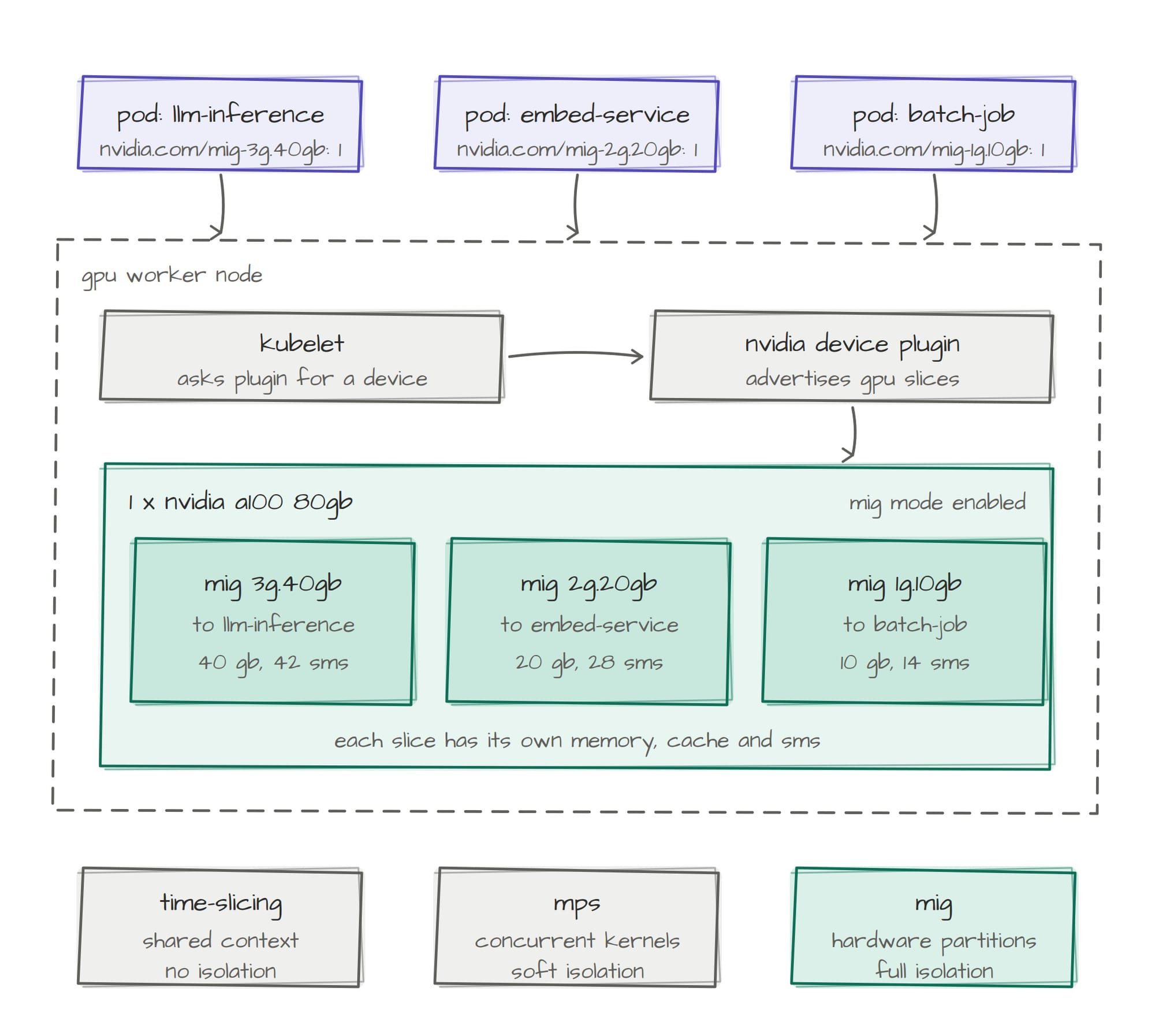
GPU splicing isn't new. With the NVIDIA Operator, we've been able to do that within Kubernetes for quite a while.
Example:
apiVersion: v1
kind: ConfigMap
metadata:
  name: time-slicing-config
data:
  any: |-
    version: v1
    flags:
      migStrategy: none
    sharing:
      timeSlicing:
        renameByDefault: false
        failRequestsGreaterThanOne: false
        resources:
          - name: nvidia.com/gpu
            replicas: 4
The above shows that the NVIDIA GPU is deployed on a Worker Node within your k8s cluster and up to four (4) Pods can request a "piece" of the one GPU.
You'd do that by putting a parameter like this within your Pods Manifest:
nvidia.com/gpu: 1Instead of splicing per Pod, you can splice per Actor (an Agent or HTTP app runs inside an Actor), which saves hardware resources and therefore cost because multiple Actors can run in one Worker Pod.
In the next section, you'll see how to ensure an Actor can use a NVIDIA GPU.
Cluster Check
A Substrate Actor can use a GPU the same way a Pod does, which is by putting nvidia.com/gpu on the Worker/WorkerPool. There is no GPU field on ActorTemplate. Instead, Substrate passes the assigned device into every container in the Actor.
- Source your cluster and ensure Substrate is running.
source /path/to/substrate/.ate-dev-env.sh
export SUBSTRATE_DIR=/path/to/substrate

kubectl get pods -n ate-system- Check for the default sandbox configuration on your cluster.
kubectl get sandboxconfig gvisor-default- Confirm a NVIDIA GPU is on your cluster.
kubectl get nodes -o json | jq -r \
  '["NAME","GPU","GKE_ACCEL","PRODUCT"],
   (.items[] | [
     .metadata.name,
     (.status.allocatable["nvidia.com/gpu"] // "-"),
     (.metadata.labels["cloud.google.com/gke-accelerator"] // "-"),
     (.metadata.labels["nvidia.com/gpu.product"] // "-")
   ]) | @tsv' | column -t
You'll see an output similar to the below:

In the next section, you'll implement an Actor with a usable NVIDIA GPU.
Implement A GPU-Based Actor
At the time of writing this, only gVisor (software-level isolation) based Actors can support GPUs.
CRD rule on WorkerPool:

nvidia.com/gpu is only supported when sandboxClass is 'gvisor'
The source of this is via the kubebuilder CEL marker on WorkerPoolSpec.
Because of that, you will have to ensure that you have gVisor enabled on your cluster running Substrate.
sandboxClass is gVisor, so if you didn't specify microVM during installation, you're good to go.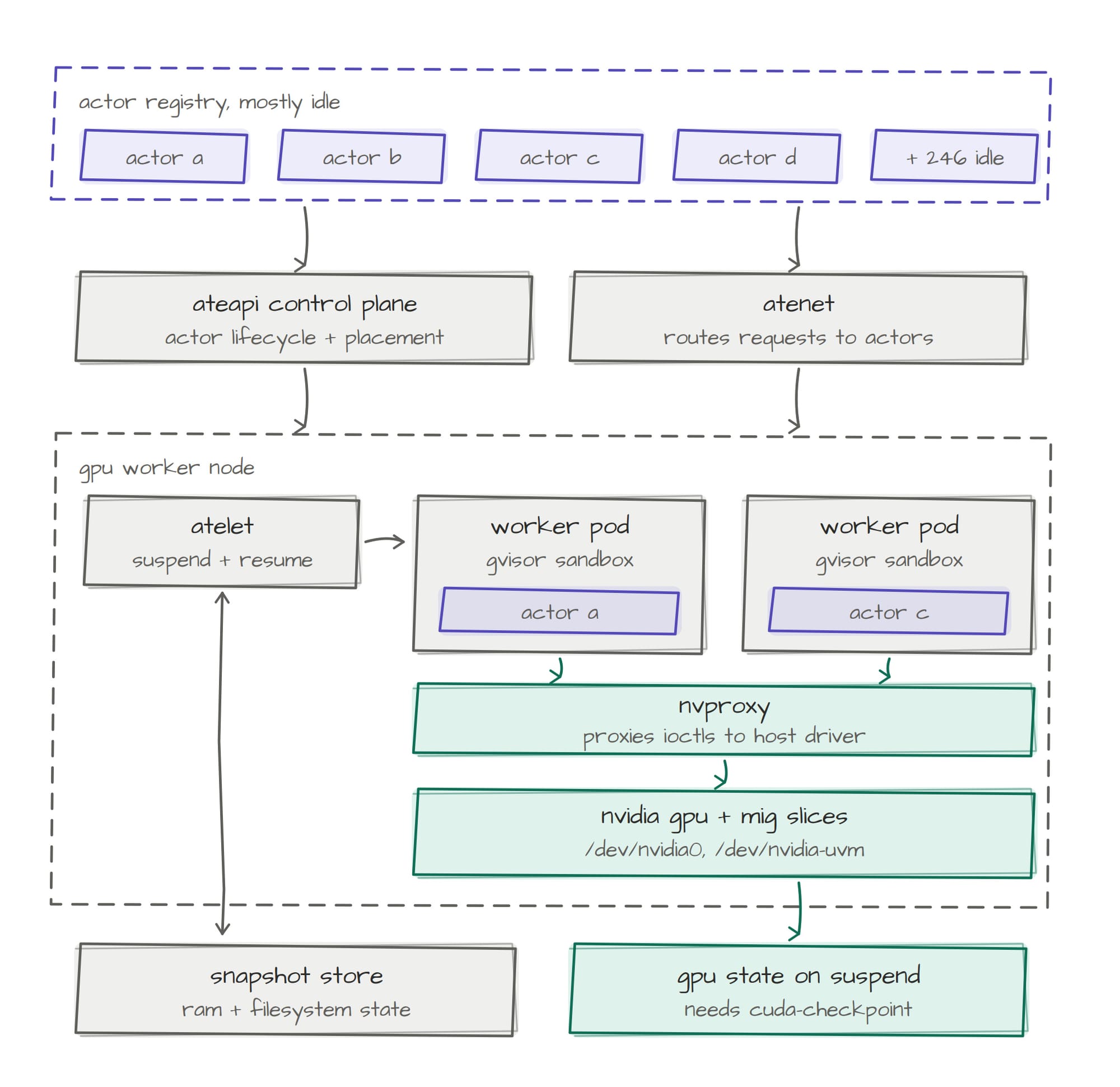
Build Images
The images in this step are for the next step, but let's break down the "why" in terms of why we need them:
- The default worker is
gcr.io/distroless/static-debian13. It cannot exec nvidia-ctk, so it cannot inject a GPU into the sandbox. - Substrate does not ship a GPU actor.
workload/Which you can find here, is the Actors application (it's a Go app) that calls out to the GPU. It runs nvidia-smi inside the Actor as a child process.
- Build the ateom gVisor GPU image:
export ATEOM_GPU_IMAGE=$(
  cd "$SUBSTRATE_DIR" &&
  KO_DOCKER_REPO="$KO_DOCKER_REPO" \
  KO_DEFAULTPLATFORMS=linux/amd64 \
  KO_DEFAULTBASEIMAGE=debian:stable-slim \
  ./hack/run-tool.sh ko build ./cmd/ateom-gvisor
)
echo "$ATEOM_GPU_IMAGE"- Build an image that an
ActorTemplatecan use, which is used as a golden image to deploy an Actor with GPU needs.
cd agentic-demo-repo/substrate/optimization/gpu-backed-actors/workload

docker buildx build \
  --platform linux/amd64 \
  --push \
  --provenance=false \
  --metadata-file /tmp/gpu-agent.json \
  --tag "${KO_DOCKER_REPO}/gpu-actor-workload:gpu-agent" \
  workload/

export GPU_WORKLOAD_IMAGE="${KO_DOCKER_REPO}/gpu-actor-workload@$(jq -er '."containerimage.digest"' /tmp/gpu-agent.json)"
echo "$GPU_WORKLOAD_IMAGE"- Capture your storage/snapshot location to be used later in
ActorTemplate.
export SNAPSHOT_LOCATION="gs://${BUCKET_NAME}/ate-demo-gpu/"ActorTemplate and WorkerPool
With the proper images built for both the WorkerPool to have the ability to inject GPUs and the GPU-based image so the Actor uses an image that requires a GPU for the workload to run, let's deploy the resources.
- Create a
WorkerPoolworkerImageis the glibc ateom so nvidia-ctk (CLI for the NVIDIA Container Toolkit, which is used to configure container runtimes and manage GPU support for containers) can run.nvidia.com/gpu: "1"in requests and limits is what injects the GPU into the sandbox.
kubectl apply -f - <<EOF
apiVersion: v1
kind: Namespace
metadata:
  name: ate-demo-gpu
  labels:
    gpu-backed-actors-demo: "true"
---
apiVersion: ate.dev/v1alpha1
kind: WorkerPool
metadata:
  name: gpu-workers
  namespace: ate-demo-gpu
  labels:
    workload: gpu
spec:
  replicas: 1
  sandboxClass: gvisor
  workerImage: ${ATEOM_GPU_IMAGE}
  template:
    tolerations:
    - key: nvidia.com/gpu
      operator: Exists
      effect: NoSchedule
    resources:
      requests:
        cpu: 500m
        memory: 2Gi
        nvidia.com/gpu: "1"
      limits:
        cpu: "2"
        memory: 4Gi
        nvidia.com/gpu: "1"
EOF- Create the
ActorTemplate, which is the golden image/template that an Actor uses as a blueprint when it's created. Notice that it's using the GPU workload image.
WorkerPool.kubectl apply -f - <<EOF
apiVersion: ate.dev/v1alpha1
kind: ActorTemplate
metadata:
name: gpu-app
namespace: ate-demo-gpu
spec:
sandboxClass: gvisor
workerSelector:
matchLabels:
workload: gpu
containers:
- name: gpu-app
image: ${GPU_WORKLOAD_IMAGE}
readyz:
httpGet:
path: /readyz
port: 80
resources:
limits:
cpu: "1"
memory: 2Gi
snapshotsConfig:
location: ${SNAPSHOT_LOCATION}
onPause: Full
onCommit: Full
EOFCreate Actors
With the WorkerPool where the Actor runs and the Actor's golden image/template/blueprint created, you can now create the Actor.
kubectl ate create atespace gpu-demo
kubectl ate create actor gpu-1 --atespace gpu-demo --template ate-demo-gpu/gpu-agent
kubectl ate resume actor gpu-1 --atespace gpu-demo --boot
kubectl ate logs actors gpu-1 --atespace gpu-demo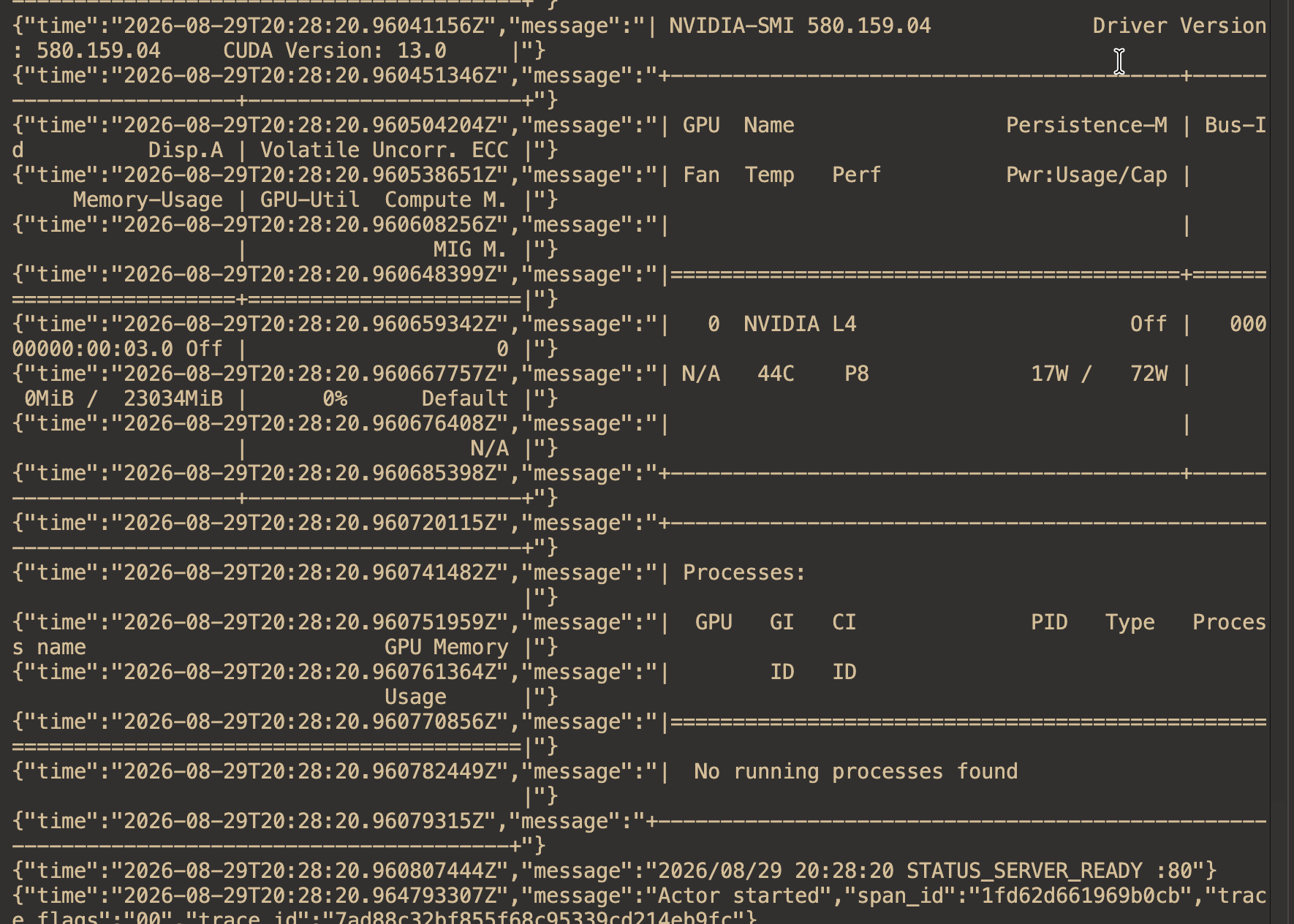
You can test the Actor to ensure that it's working as expected:
kubectl -n ate-system port-forward svc/atenet-router 8000:80

curl -sS \
  -H 'Host: gpu-1.gpu-demo.actors.resources.substrate.ate.dev' \
  http://localhost:8000/gpu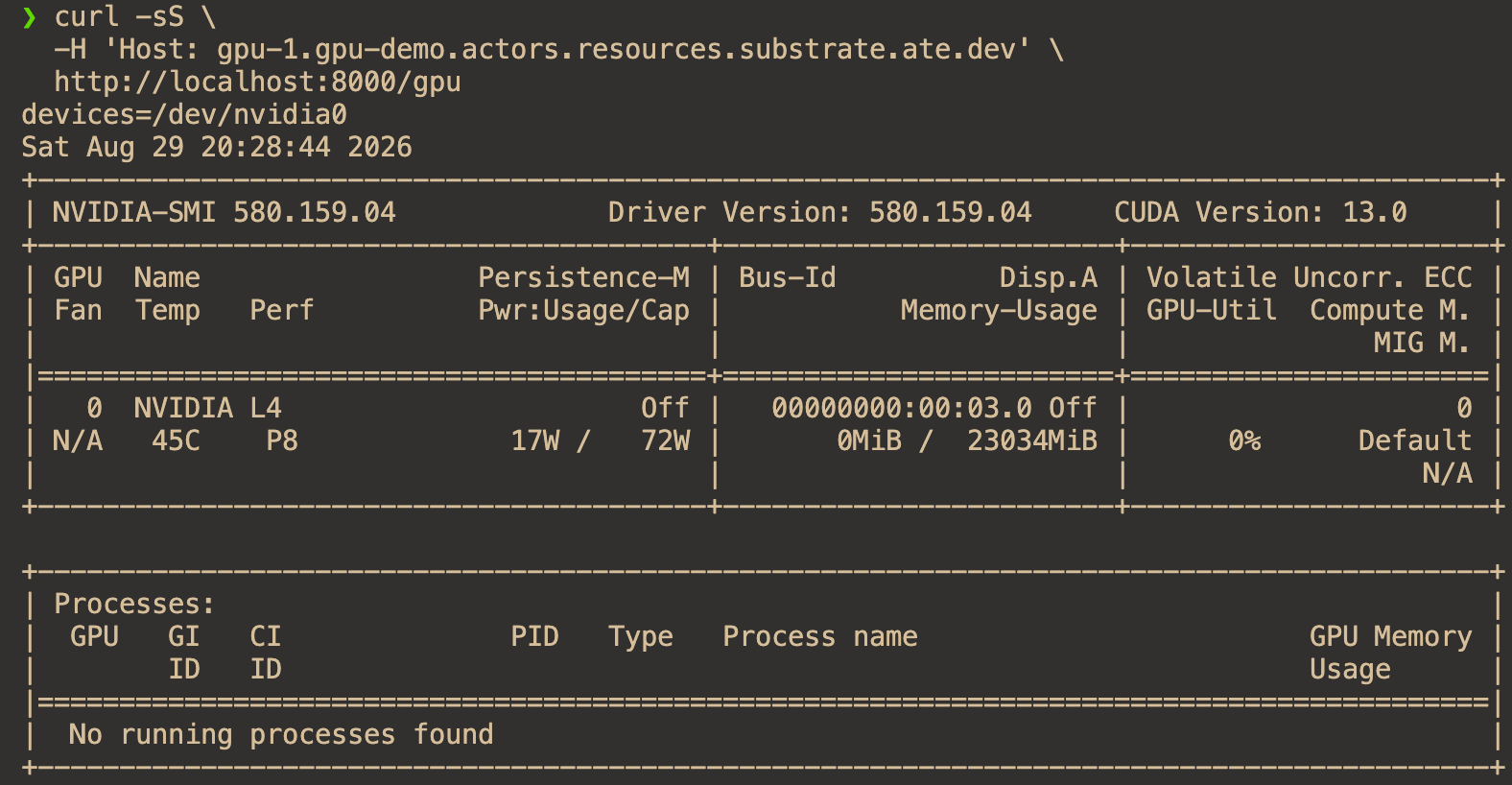
"No running processes found" is expected. GET /gpu runs nvidia-smi as a child and then exits. The Processes table only lists jobs that currently hold GPU memory (a CUDA context).

Comments ()