Scheduling Agents In Kagent With Agent Substrate
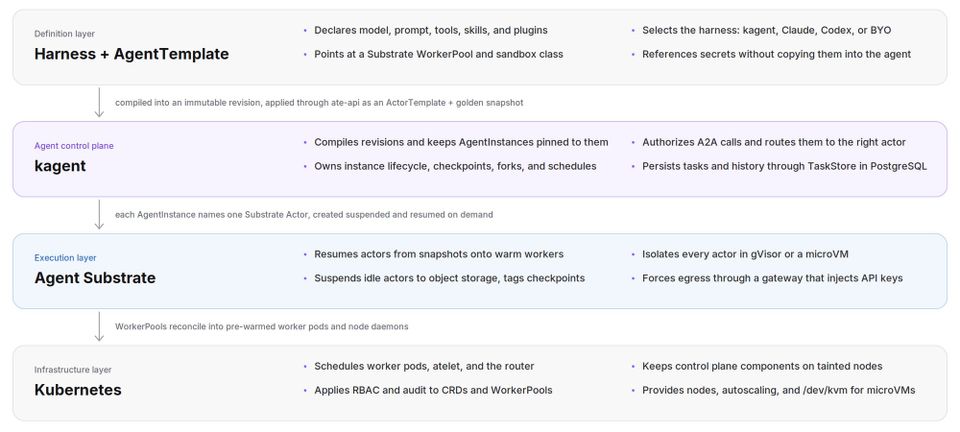
Many of us are "hands-on-keyboard" interacting with Agents in our terminal or via a desktop app. That's, however, when you want to do something at the exact time you're using the Agent. What if you want an Agent to act for you at a specific time or on a particular date? Or even a task that an Agent runs daily.
That's where scheduling comes into play.
In this blog post, you'll learn how to do scheduling for an Agent running in kagent + Agent Substrate OSS.
Prerequisites
To follow along with this blog post in a hands-on fashion, you should have:
- A Kubernetes cluster (kind/minikube/etc. is fine for demo purposes).
- Kagent + Agent Substrate installed. You can learn how to do so here.
Why Agent Substrate?
The first question before "why Substrate" is "why sandboxing at all?". I've covered this in many blog posts, including on my kagent + substrate blog and several live streams. However, here's the tldr;
You control what an Agent can and can't access from the local file system to LLMs, MCP Servers, the internet, and other Agents. It's a true form of isolation for every and any Agent, regardless of its task.
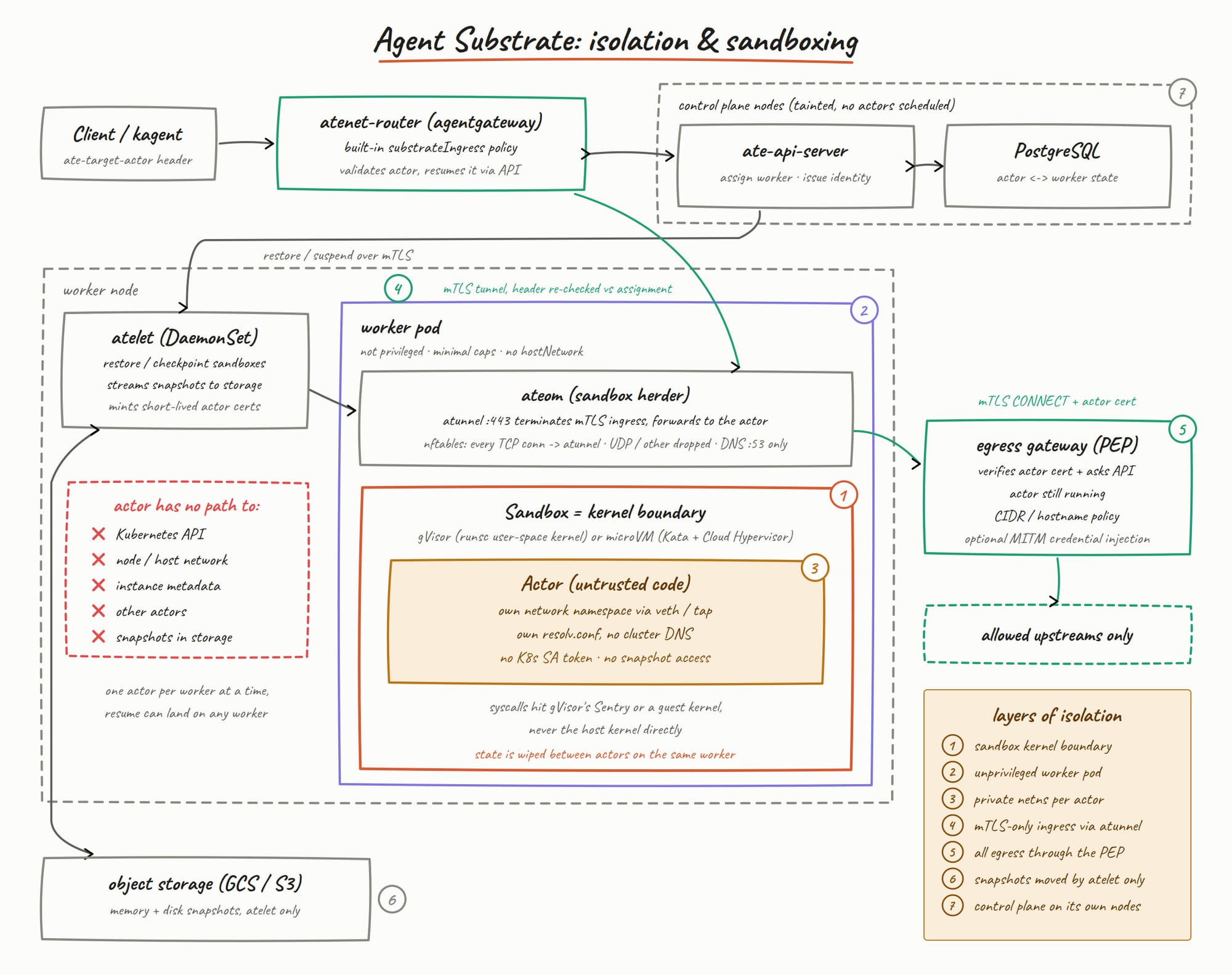
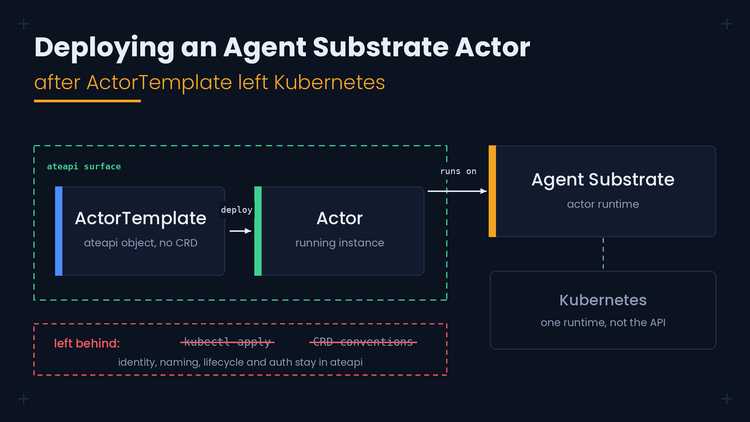
Substrate allows you to combine the power that k8s already comes with (Pod scheduling, self-healing, clustered Nodes) and the Substrate API server (ateapi) for efficient and performant scheduling, starting, and stopping of Agents when they aren't in use (the most beneficial aspect of Actors).
What Benefits Does Scheduling Agents Give?
You've probably heard of some of the "autonomous Agent systems" coming out, like Grok Bot and Muse. Taking that similar concept - scheduling Agents that you actually manage. You get to say what Agent Skills, prompts, MCP tools, and Models are used, just like any other Agent that you create within a runtime like kagent.
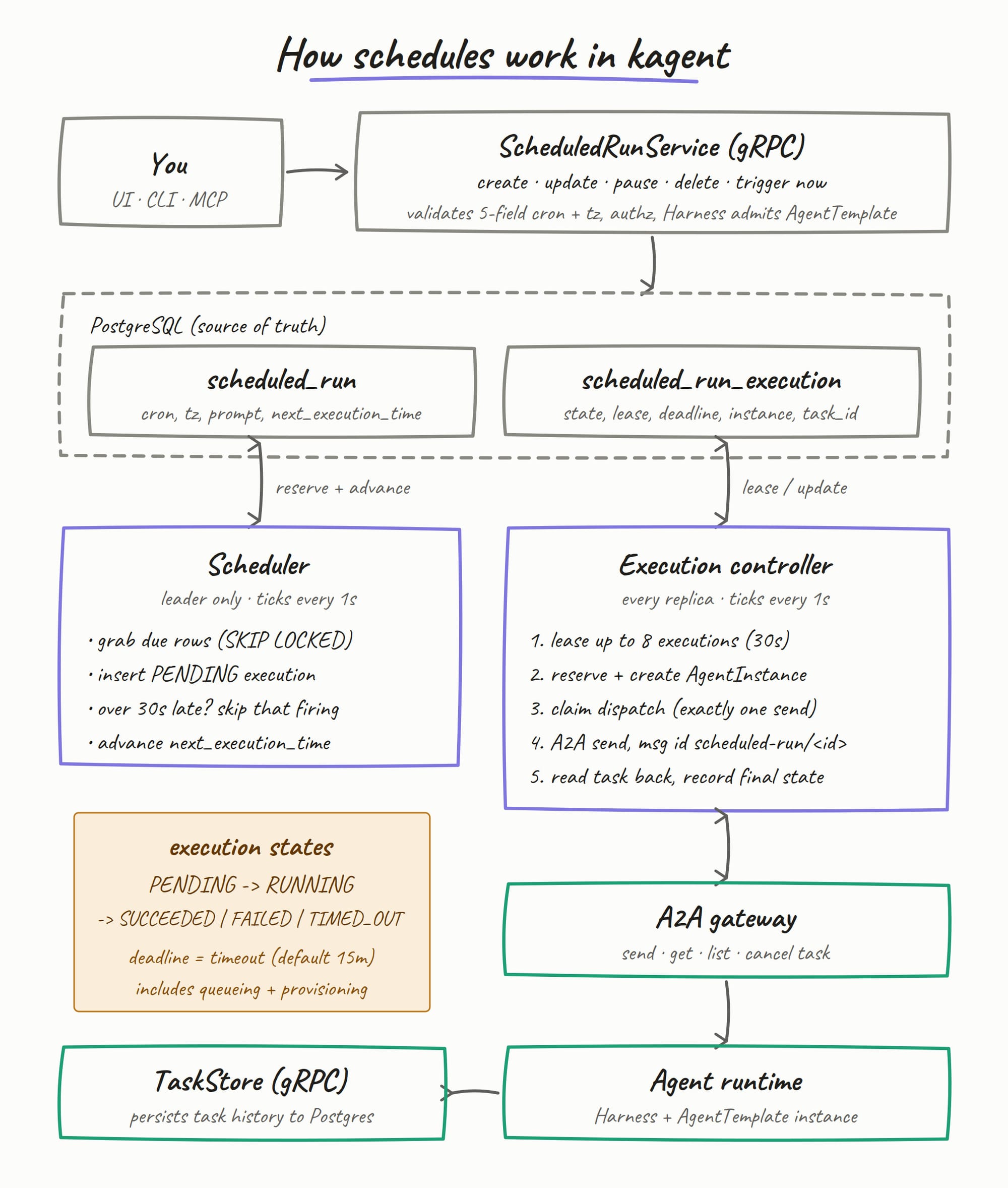
The difference is that with the Agent that you create, you can turn it into an autonomous Agent that performs actions on your behalf on a particular schedule.
The Agent
The goal of the Agent being created is to be a reporter. It will give a concise k8s status report for all of the resources that exist on the cluster. This is great for something like a morning report to ensure that your Kubernetes environment is up and running as expected.
The AgentTemplate object below exposes only k8s_get_resources from the installed MCP Server. The Harness object uses the published alpha3 GoADK image, pinned by its multi-platform digest, and the existing WorkerPool/snapshot bucket that comes with the kagent + Agent Substrate installation.
kubectl apply -f - <<EOF
apiVersion: kagent.dev/v1alpha3
kind: Harness
metadata:
  name: schedule-demo-harness
  namespace: kagent
spec:
  kagent: {}
  workload:
    image: ghcr.io/kagent-dev/kagent/golang-adk@sha256:699c7a36daa0050d5954f42ad3b614690d825664cf64ffe8871dbe20dc68464e
  substrate:
    workerPoolRef:
      name: kagent-default
    snapshotPolicy:
      location: s3://ate-snapshots/kagent
  allowedAgentTemplates:
    selector:
      matchLabels:
        kagent.dev/harness: schedule-demo-harness
---
apiVersion: kagent.dev/v1alpha3
kind: AgentTemplate
metadata:
  name: schedule-demo-agent
  namespace: kagent
  labels:
    kagent.dev/harness: schedule-demo-harness
spec:
  description: Read-only Kubernetes status reporter
  modelConfig:
    name: default-model-config
  systemPrompt: |
    You are a concise Kubernetes status reporter. Use k8s_get_resources for
    every live cluster fact. Report what the tool returns, including any Pods
    that are not Ready. Do not modify resources or guess at missing data.
  tools:
    - mcp:
        server:
          kind: RemoteMCPServer
          name: kagent-tool-server
        tools:
          - k8s_get_resources
EOF
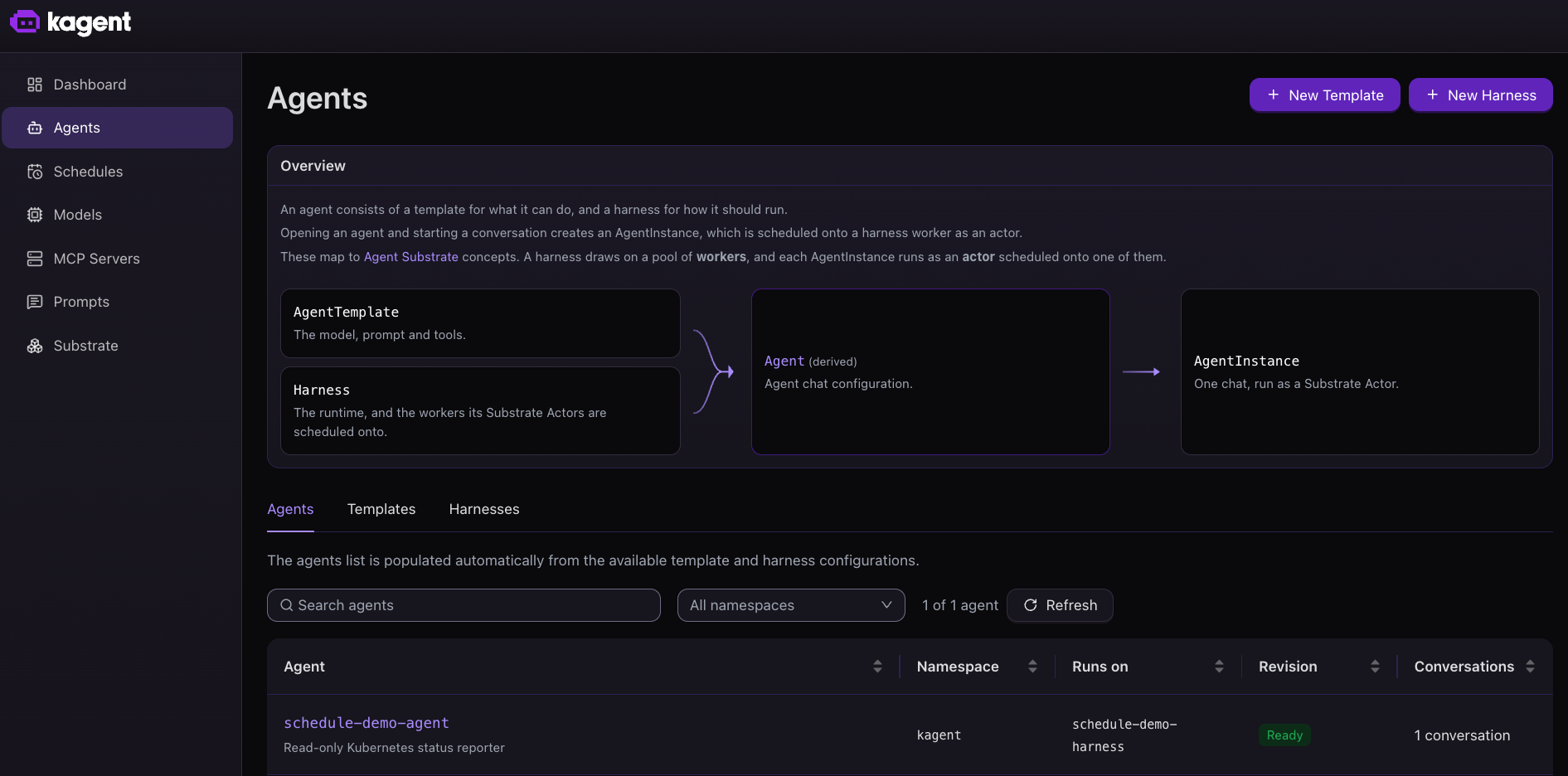
You should now be able to see the Agent in your environment like in the screenshot below.
In the next section, you'll learn how to turn on scheduling for the Agent.
Scheduling and Testing
With the Agent up and running, let's create the schedule and test it to confirm that it works as expected.
- Within the kagent UI, click on Schedules
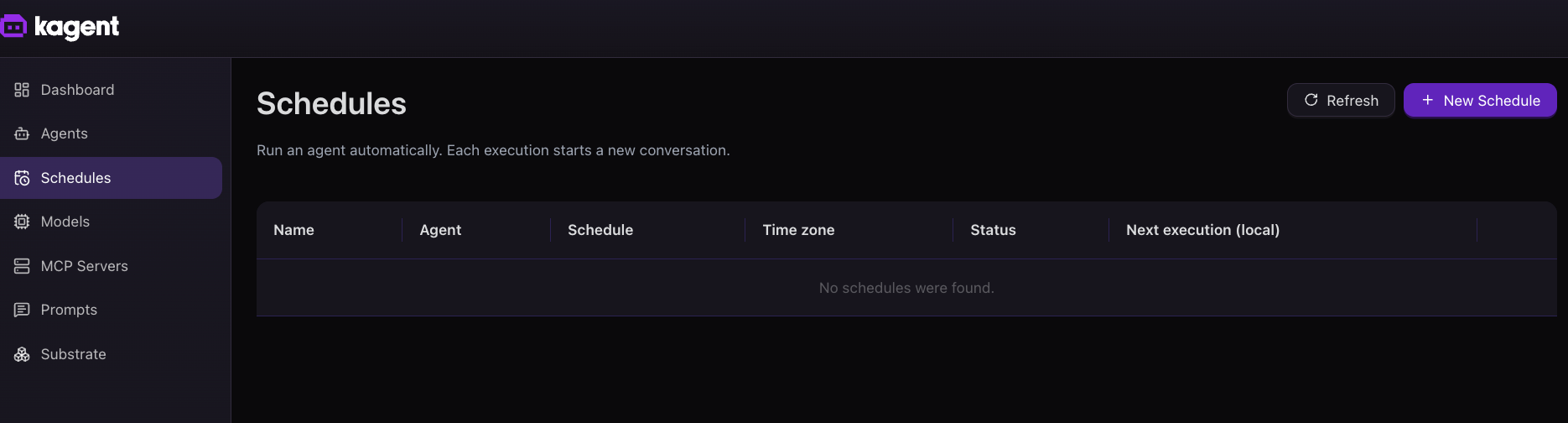
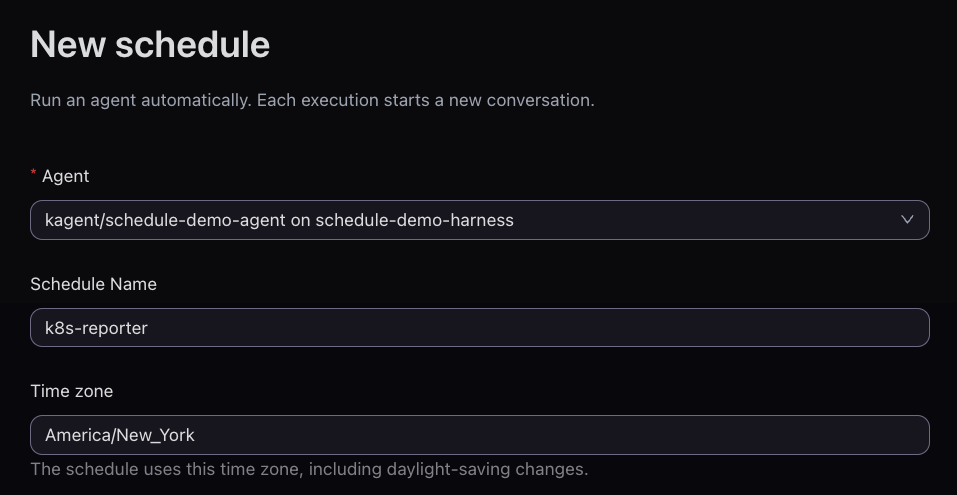
- Choose your Agent, give the schedule a name, and pick your time zone.
- Pick the interval, time that the Agent should run, and specify your prompt. Because this Agent is a k8s resource reporter, my prompt is:
Use k8s_get_resources to check Pods in kagent and ate-system. Report each namespace, any non-Ready Pods, and one sentence on overall health. Do not change anything.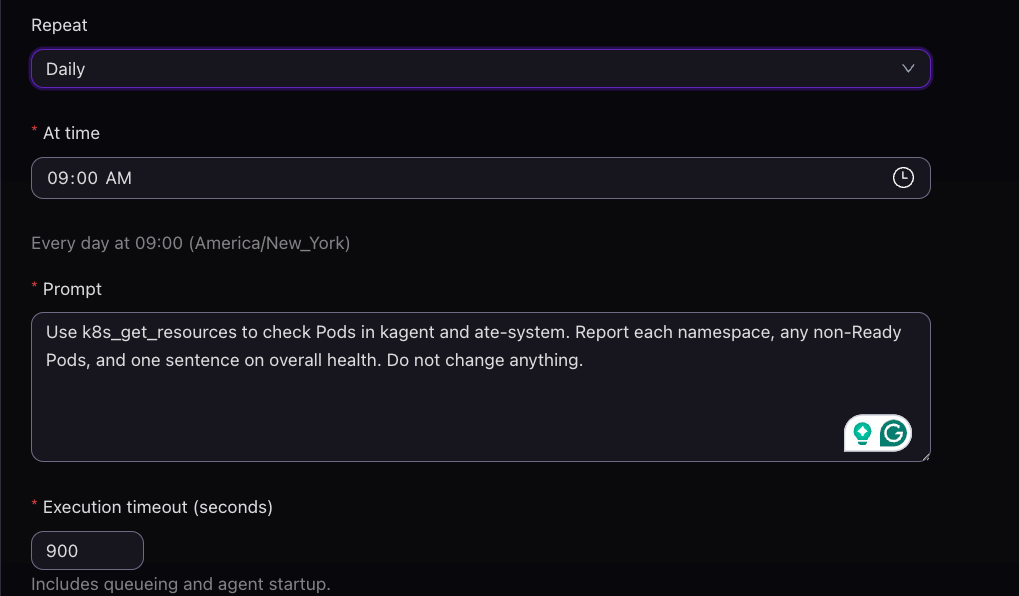
- Create the purple Create schedule button.
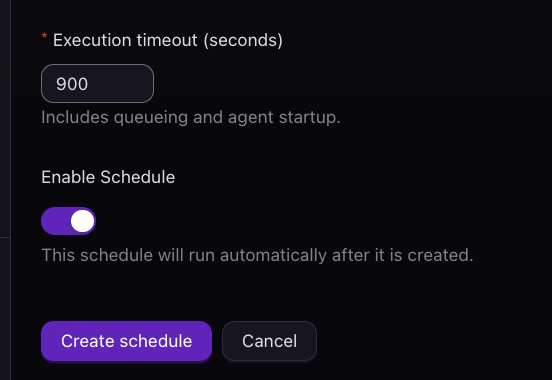
- You'll now see your newly created scheduled Agent. To test it, click the purple Run button to confirm that it will work as expected.
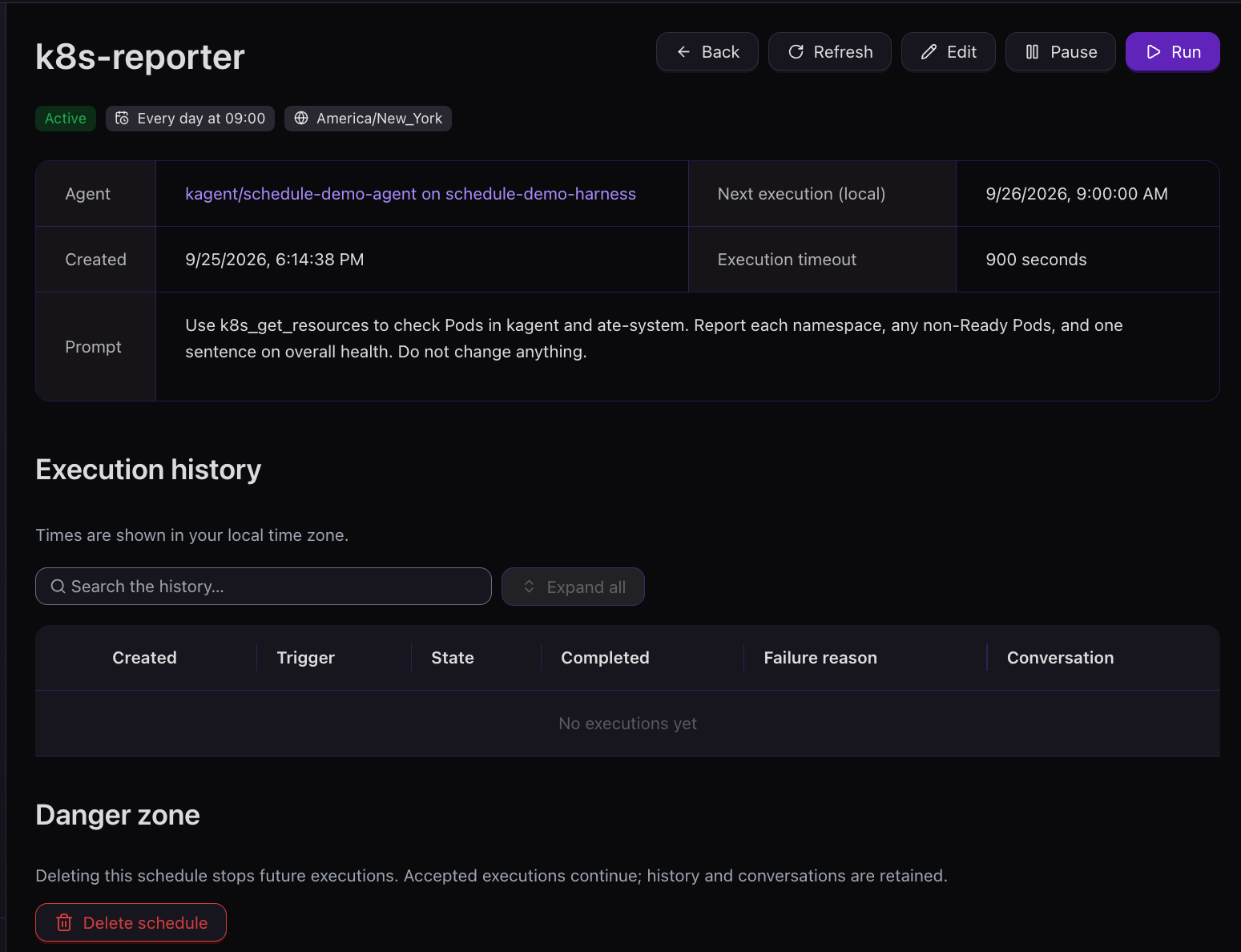
After a few moments, you can see that the scheduled Agent ran as expected.
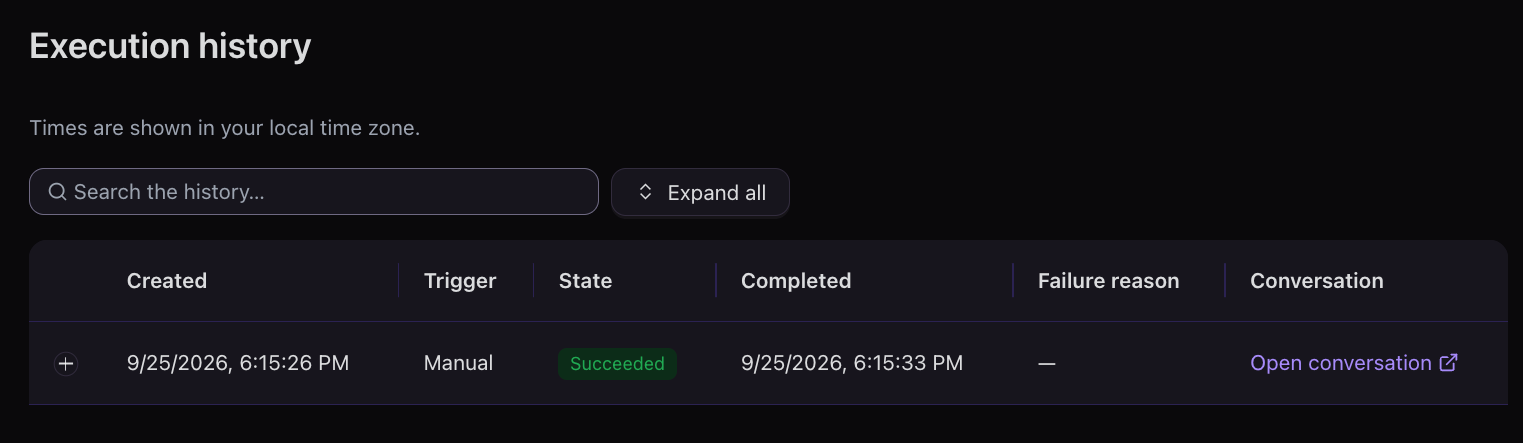
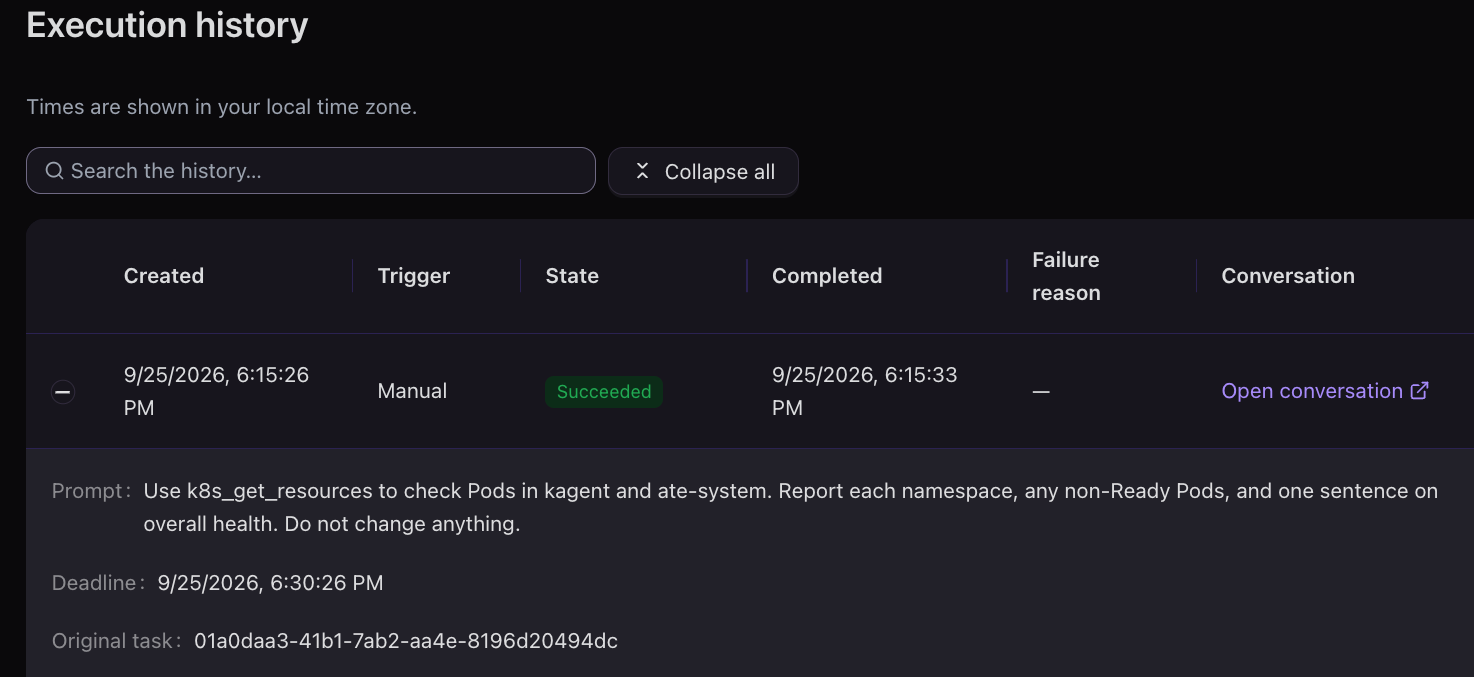
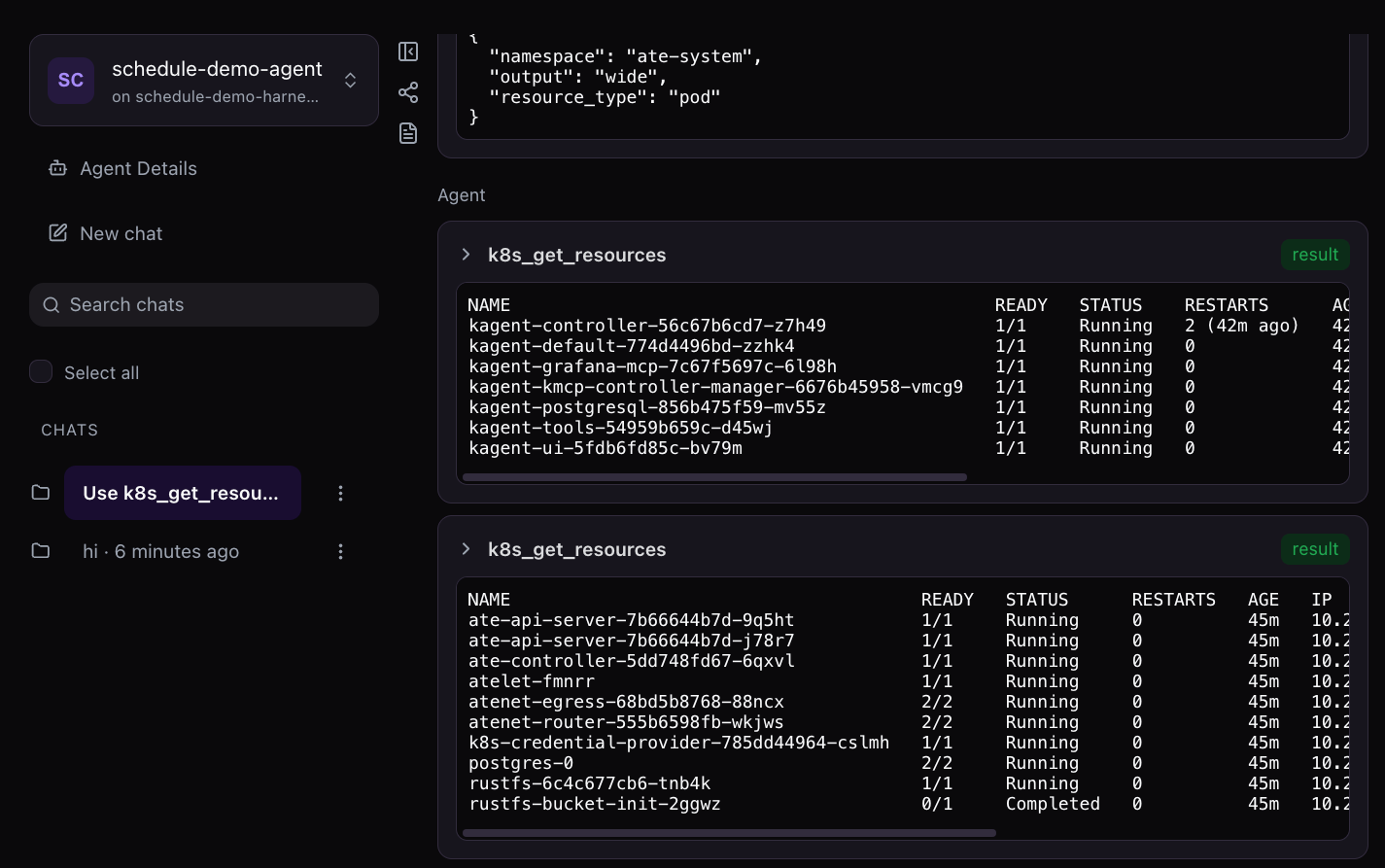
Congrats! You've officially scheduled and tested the scheduling of your new autonomous k8s reporter.

Comments ()