Multi-Model Failover In Your AI Gateway
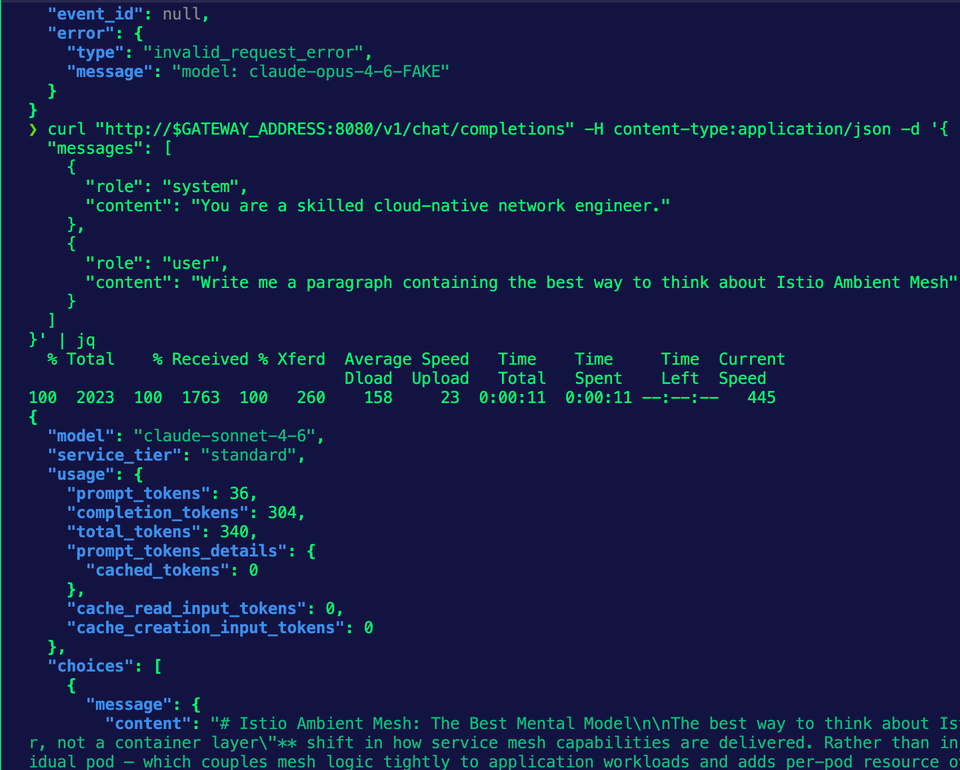
Think about two scenarios that are pretty common. 1) You hit a rate limit or run out of tokens, so you have to "downgrade" to a small/less powerful Model. 2) An LLM provider is down or having intermittent issues.
In these two cases, what do you do if you only have one Model set up for your Gateway to route to?
In this blog post, you'll learn how to set up failover for your LLMs.
Prerequisites
To follow along with this blog post from a hands-on perspective, you will need the following:
- A Kubernetes cluster (local is fine).
- Agentgateway installed along with the Kubernetes Gateway API CRDs. If you don't have agentgateway installed, you can learn how to do so here.
- API access to your LLM provider. The example in this blog uses Anthropic, but you can use OpenAI, Gemini, etc.
If you don't have the above, that's fine! You can still follow along from a theoretical perspective and implement it when you're able.
Gateway Setup
The first thing you will need to do is set up a Gateway, AgentgatewayBackend, and HTTPRoute. The AgentgatewayBackend is what tells your Gateway what to route to. As you'll see in the example below, you'll route to an Opus Model.
- Set your Anthropic API key as an environment variable so it can be saved as a k8s secret.
export ANTHROPIC_API_KEY=- Create the k8s secret with your API key.
kubectl apply -f- <<EOF
apiVersion: v1
kind: Secret
metadata:
  name: anthropic-secret
  namespace: agentgateway-system
type: Opaque
stringData:
  Authorization: $ANTHROPIC_API_KEY
EOF- Create a Gateway object that allows traffic from all Namespaces and uses the agentgateway Gateway Class.
kubectl apply -f - <<EOF
apiVersion: gateway.networking.k8s.io/v1
kind: Gateway
metadata:
  name: agentgateway-openshell
  namespace: agentgateway-system
spec:
  gatewayClassName: agentgateway
  listeners:
    - name: http
      port: 8080
      protocol: HTTP
      allowedRoutes:
        namespaces:
          from: Same
EOF- Create the AgentgatewayBackend that ensures your Gateway routes to the right Model.
kubectl apply -f - <<EOF
apiVersion: agentgateway.dev/v1alpha1
kind: AgentgatewayBackend
metadata:
  name: anthropic
  namespace: agentgateway-system
spec:
  ai:
    provider:
        anthropic:
          model: "claude-opus-4-6"
  policies:
    auth:
      secretRef:
        name: anthropic-secret
EOF- Create the HTTPRoute so that your traffic is routed to the appropriate endpoint.
kubectl apply -f - <<EOF
apiVersion: gateway.networking.k8s.io/v1
kind: HTTPRoute
metadata:
  name: openshell-openai
  namespace: agentgateway-system
spec:
  parentRefs:
    - name: agentgateway-openshell
      namespace: agentgateway-system
  rules:
  - matches:
    - path:
        type: PathPrefix
        value: /v1
    backendRefs:
    - name: anthropic
      namespace: agentgateway-system
      group: agentgateway.dev
      kind: AgentgatewayBackend
EOF- Test your Gateway.
export GATEWAY_ADDRESS=$(kubectl get svc -n agentgateway-system agentgateway-openshell -o jsonpath="{.status.loadBalancer.ingress[0]['hostname','ip']}")
echo $GATEWAY_ADDRESS
curl "http://$GATEWAY_ADDRESS:8080/v1/chat/completions" -H content-type:application/json -d '{
"messages": [
{
"role": "system",
"content": "You are a skilled cloud-native network engineer."
},
{
"role": "user",
"content": "Write me a paragraph containing the best way to think about Istio Ambient Mesh"
}
]
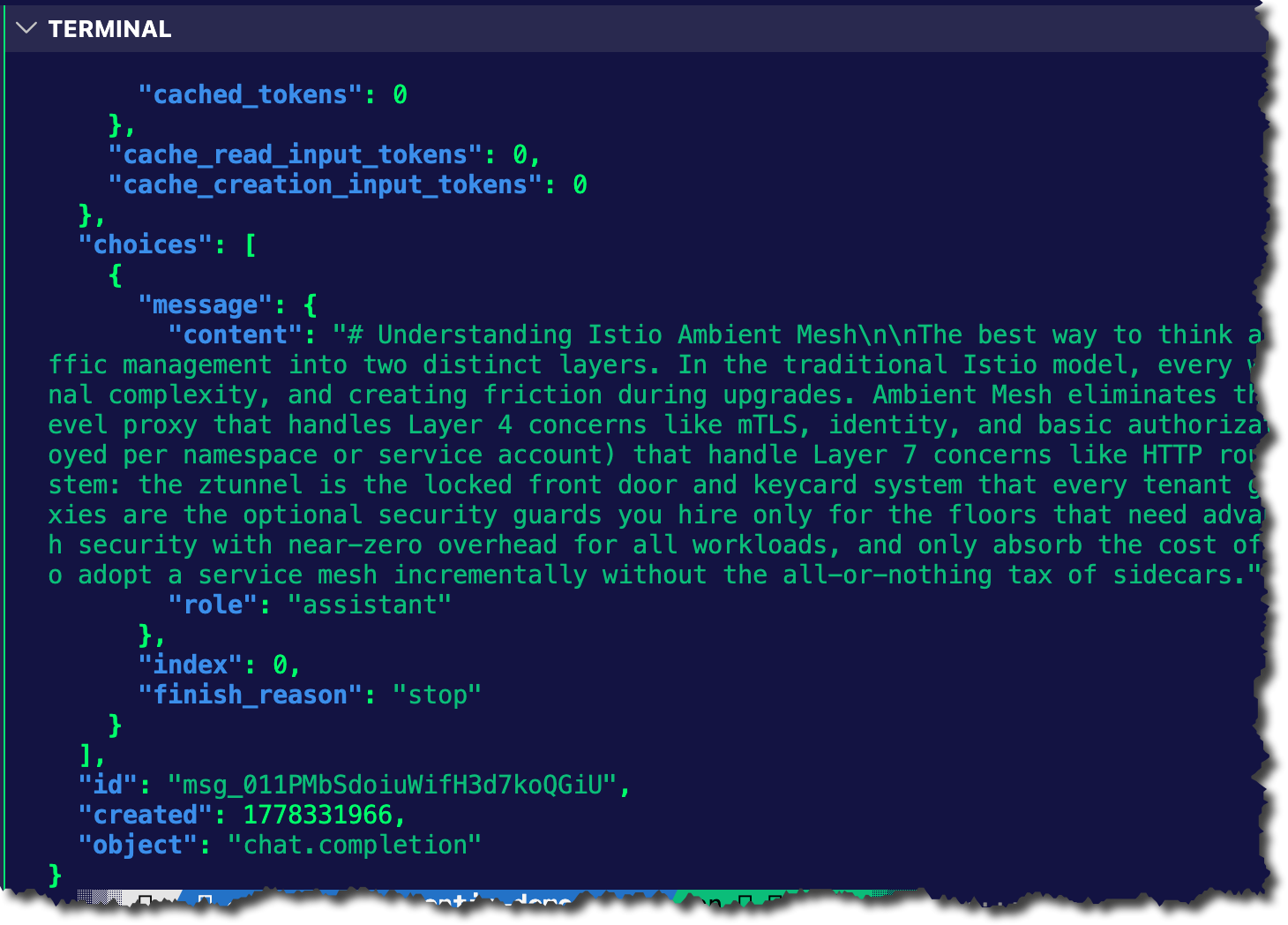
}' | jqYou should see an output similar to the screenshot below.
With the Gateway configured, let's test Model failover.
Failover Configuration
Now that the Gateway is deployed and the AgentgatewayBackend points to an Opus Model, let's see what happens when a failover occurs. Before that, however, you need to update the AgentgatewayBackend to utilize multiple Models.
- Apply the AgentgatewayBackend below, which just updates what you already have to contain multiple Models.
kubectl apply -f- <<EOF
apiVersion: agentgateway.dev/v1alpha1
kind: AgentgatewayBackend
metadata:
name: anthropic
namespace: agentgateway-system
spec:
ai:
groups:
- providers:
- name: anthropic-opus-46
anthropic:
model: claude-opus-4-6
policies:
auth:
secretRef:
name: anthropic-secret
- providers:
- name: anthropic-sonnet-46
anthropic:
model: claude-sonnet-4-6
policies:
auth:
secretRef:
name: anthropic-secret
EOF- Test the
curlagain to ensure that you can still route to a Model.
curl "http://$GATEWAY_ADDRESS:8080/v1/chat/completions" -H content-type:application/json -d '{
  "messages": [
    {
      "role": "system",
      "content": "You are a skilled cloud-native network engineer."
    },
    {
      "role": "user",
      "content": "Write me a paragraph containing the best way to think about Istio Ambient Mesh"
    }
  ]
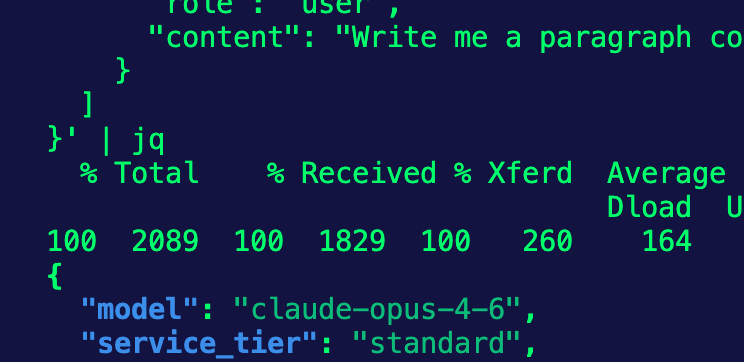
}' | jqNotice in the screenshot below that it's automatically routing to Opus 4.6. The reason why is that it's the first Model specified in your provider blocks.
What we want to do now that the curl still works is test a failover.
- Apply the AgentgatewayBackend again, except this time, specify a "fake" Model.
kubectl apply -f- <<EOF
apiVersion: agentgateway.dev/v1alpha1
kind: AgentgatewayBackend
metadata:
name: anthropic
namespace: agentgateway-system
spec:
ai:
groups:
- providers:
- name: anthropic-opus-46
anthropic:
model: claude-opus-4-6-FAKE
policies:
auth:
secretRef:
name: anthropic-secret
- providers:
- name: anthropic-sonnet-46
anthropic:
model: claude-sonnet-4-6
policies:
auth:
secretRef:
name: anthropic-secret
EOF- Create an AgentgatewayPolicy that uses your HTTPRoute as a target reference and filters based on codes.
kubectl apply -f- <<EOF
apiVersion: agentgateway.dev/v1alpha1
kind: AgentgatewayPolicy
metadata:
name: failover-health
namespace: agentgateway-system
spec:
targetRefs:
- group: agentgateway.dev
kind: AgentgatewayBackend
name: anthropic
backend:
health:
unhealthyCondition: "response.code == 404 || response.code == 429"
eviction:
duration: 10s
consecutiveFailures: 1
EOF- Run the
curlagain.
curl "http://$GATEWAY_ADDRESS:8080/v1/chat/completions" -H content-type:application/json -d '{
  "messages": [
    {
      "role": "system",
      "content": "You are a skilled cloud-native network engineer."
    },
    {
      "role": "user",
      "content": "Write me a paragraph containing the best way to think about Istio Ambient Mesh"
    }
  ]
}' | jqYou'll now see that the Model used is Sonnet.
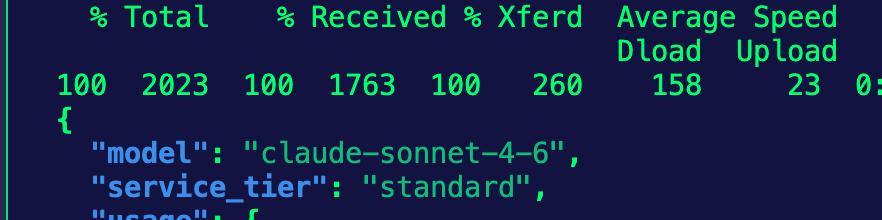
404 is the code for the HTTP status code (in this case, if the Model can't be reached). You'll also see 429 in the policy as well. That's the code for rate limits.
Wrapping Up
Rate limits, Models failing, endpoints not reachable, and Models being deprecated are all real things that occur in production. Ensuring you have a Model failover set up means you can properly manage your Agentic uptime.

Comments ()