What Can Your Agent Reach? Egress With Kagent + Agent Substrate
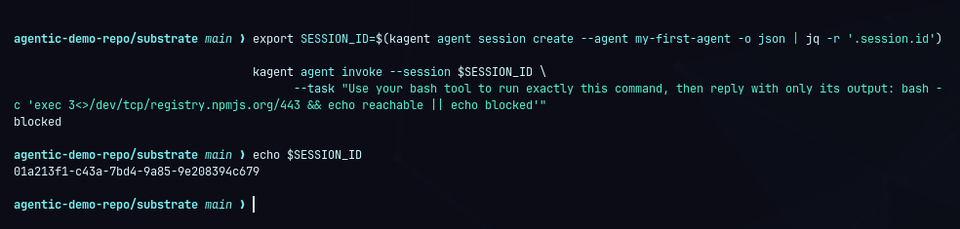
What the sandbox your Agent is running in has access to matters. If it's open by default, then it's no sandbox at all. If the understanding of what the Agent needs to have access to before it runs isn't done, it's not a sandbox.
Sandboxes deny by default and are open to strictly what they need.
In this blog post, you'll learn how to do it with kagent egress policies for Agents running via Actors in Agent Substrate.
Installing Kagent + Agent Substrate
One quick command: kagent install.
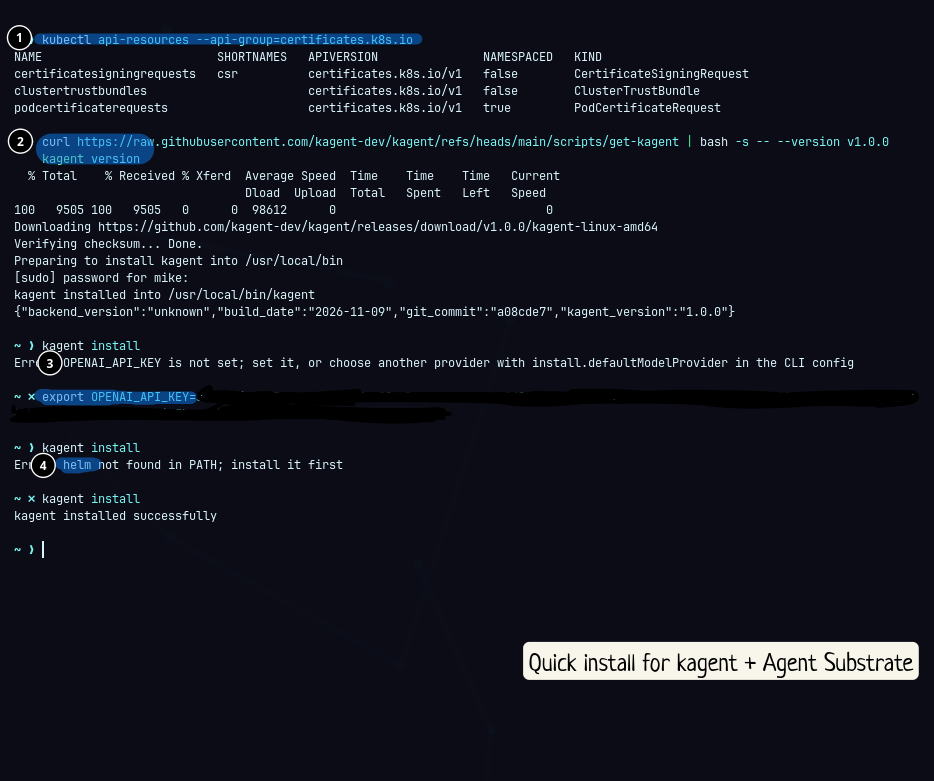
All you'll need is:
- A k8s cluster with the
PodCertificateAPI (on my default in k8s v1.37 and above). - The
kagentCLI installed, and you can learn how to do that here. - Helm installed.
- An env var for your LLM provider key (for authenticating to said LLM provider).
Reaching Inside Of Agent Substrate
You'll hear two words thrown around quite a bit - "Agent" and "Actor".
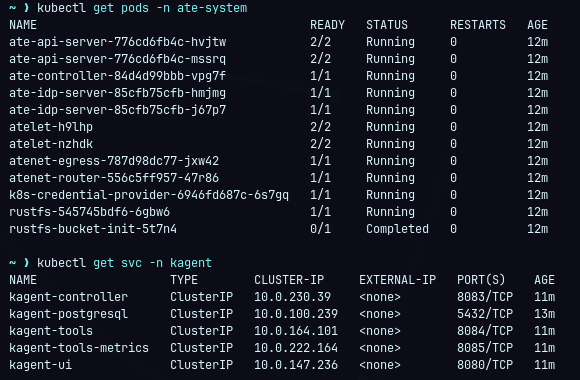
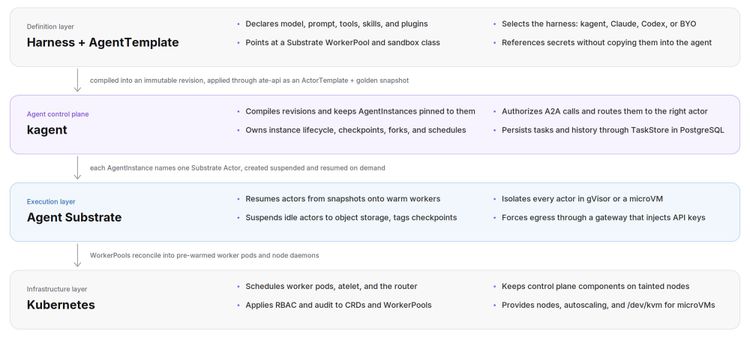
An Actor is the unit inside of Agent Substrate where you can run Agent Harnesses or even standard workloads (e.g., - a Go web API). The Actor itself is the sandboxed container using software-level isolation (gVisor) or hardware-level isolation (microvm). Because that's where the Agent Harness runs, an Actor is sometimes called an "Agent".
Once the Actor is up and running, you'll be thinking to yourself "how do I interact with it" and "what can the Actor reach". Let's start with the first one, which falls into the ingress category.
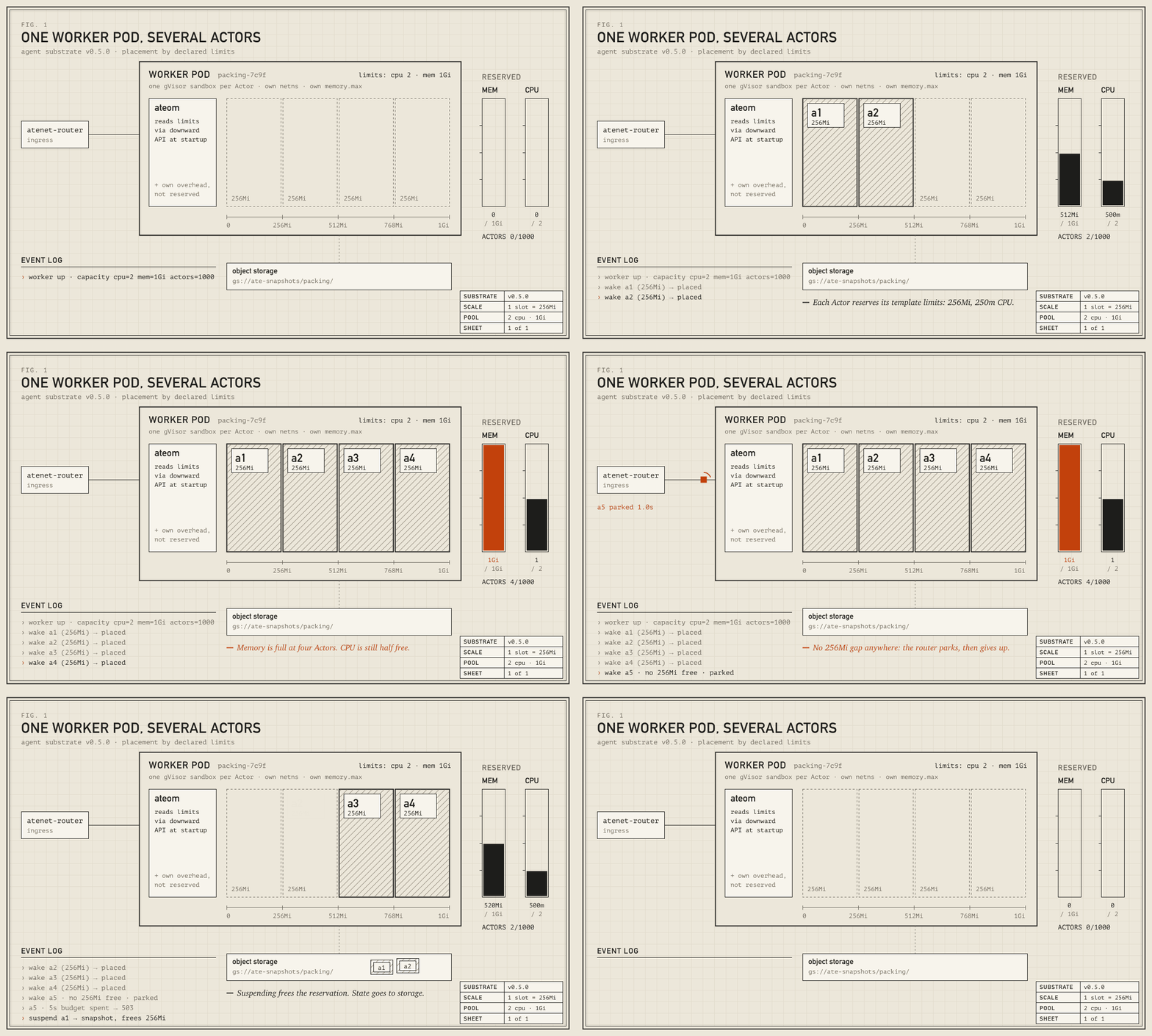
To interact with your Actor, you need a client that has the ability to call out to the Actors sesssion. Kagent comes into play (in many ways, but in this case...) by giving you the interface (via the UI or programmatically/on the CLI) to do that.
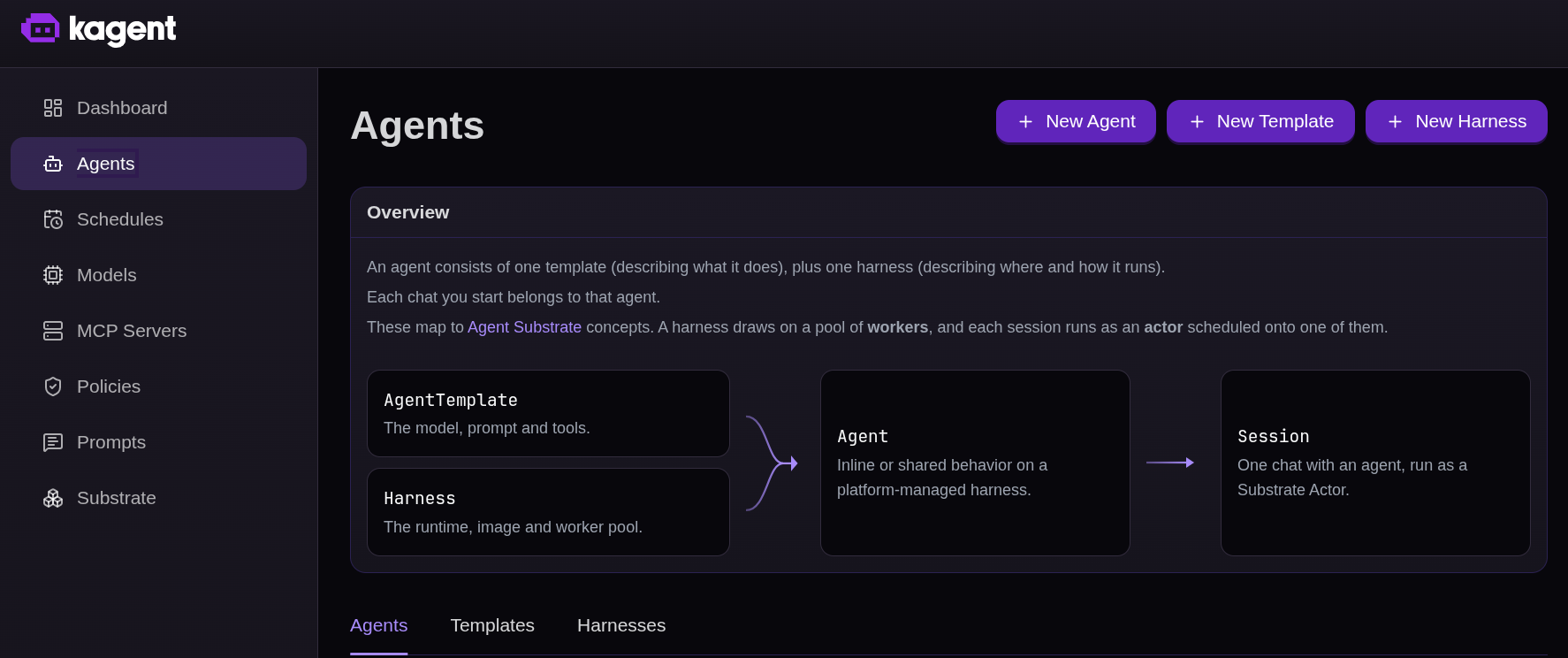
Because the industry knows how to interact with AI as "Agents", you'll see it called "Agent" in kagent, but in reality what gets spun up underneath the hood is an Actor.
kagent == the way to interact with Actors, scale them, secure them (e.g. - policy enforcement), and production-level requirements like multi-cluster, high availability, and disaster recovery.
Policies can be created for ingress in terms of who, and what, can interact with your Actor. What about what your Actor can interact with?
Going Outside Of The Sandbox
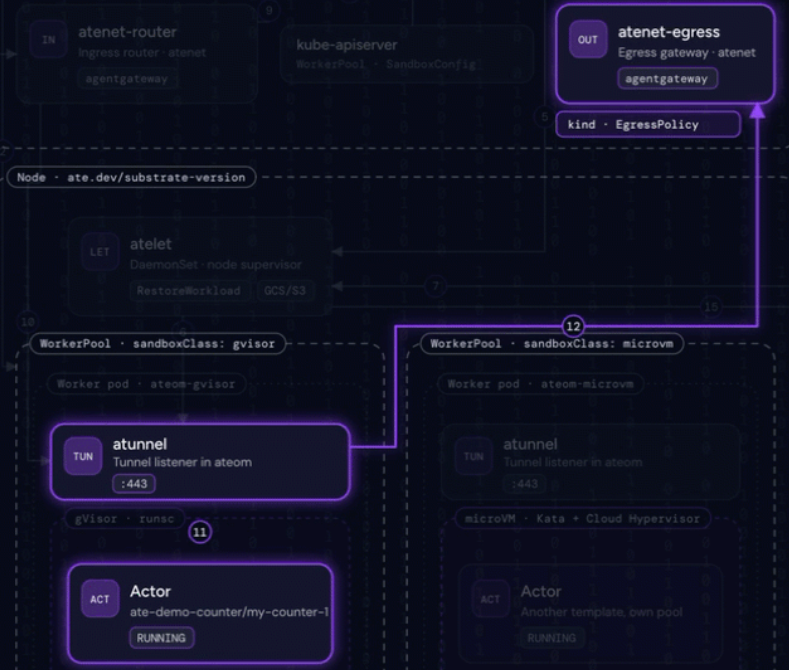
By design, Actors (and sandboxes in general as a best practice) should be "deny-by-default". Otherwise, what's the point? If a sandbox can access everything outside of the cluster, everything inside of the cluster, and the file system, what exactly is being isolated?
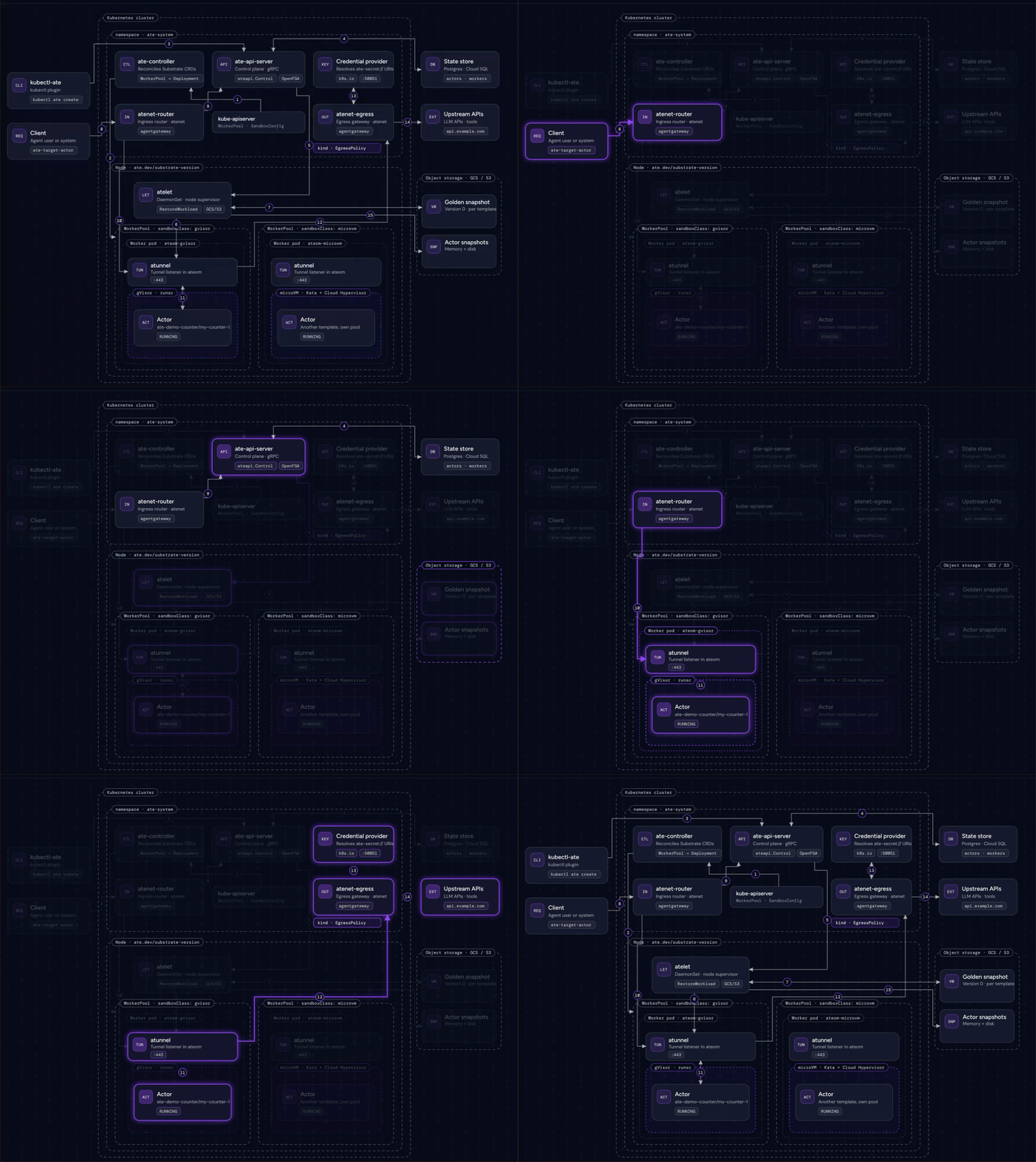
Who/what can access your Actor along with who/what your Actor (and therefore, the Agent session) can reach is crucial to everything from a security standpoint. Without putting proper policies/guardrails/enforcement in place, things like "auto-mode" on Agents or giving Agents access to crucial production systems is a recipe for something negative occurring.
Within kagent + Agent Substrate, there's a way to ensure you can properly set egress policies for any Actor (sandbox) and any destination (a website, endpoint, environment, etc.). This is done via the EgressPolicy object from the api.kagent.dev/v1alpha3 API (same object you'd use to create harnesses, templates, Actors, and other objects in kagent).
Egress In The Kagent UI
There are two ways to create egress policies in kagent + Agent Substrate:
- The UI
- Programmatically
Let's start with the UI portion.
To ensure you have an Actor/Agent to connect your egress policy to, you should have one deployed within kagent. You can use the quickstart for getting an Actor/Agent up and running.
- Within kagent, go to the Policies tab.
- Click the purple + Create egress policy button.
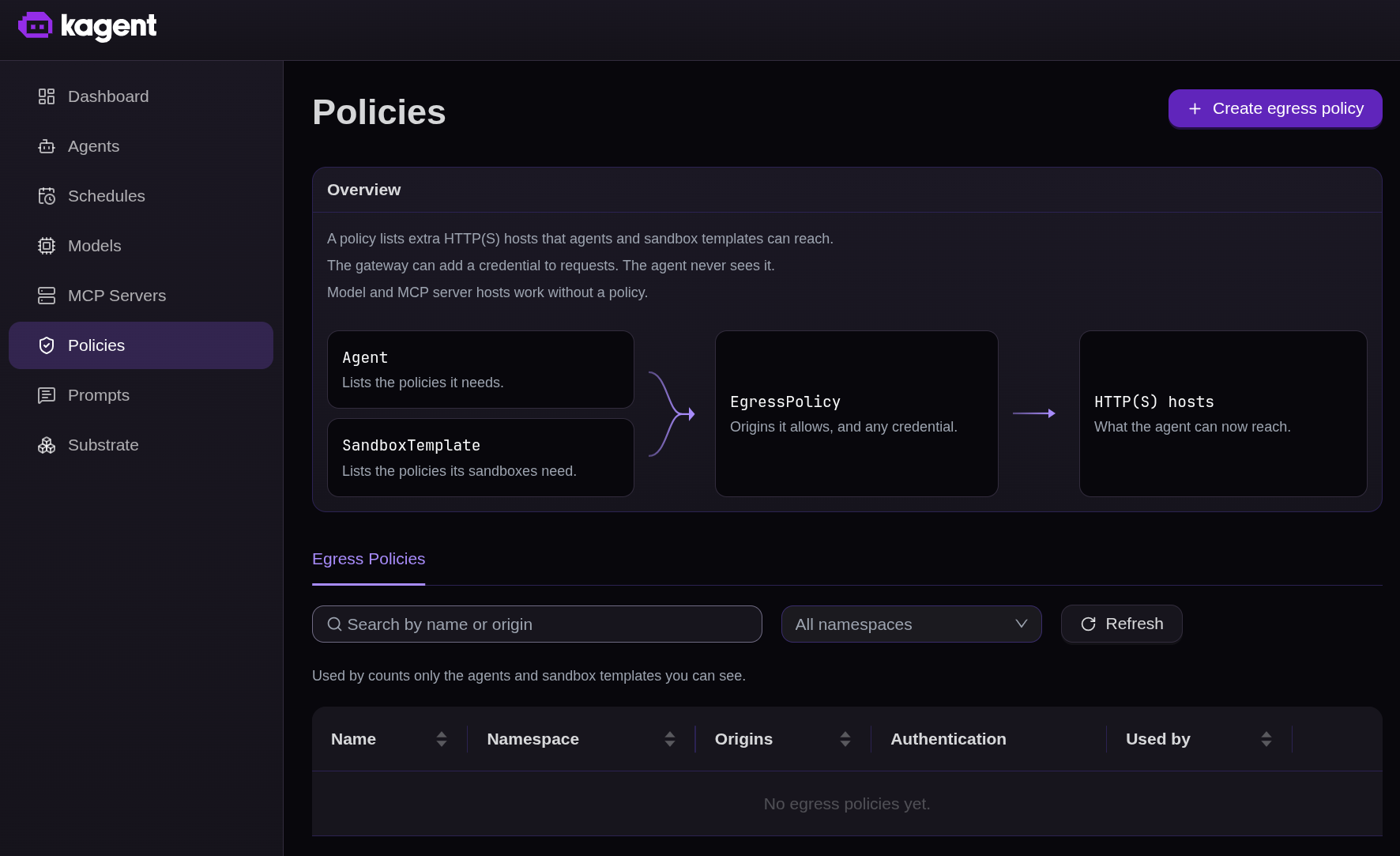
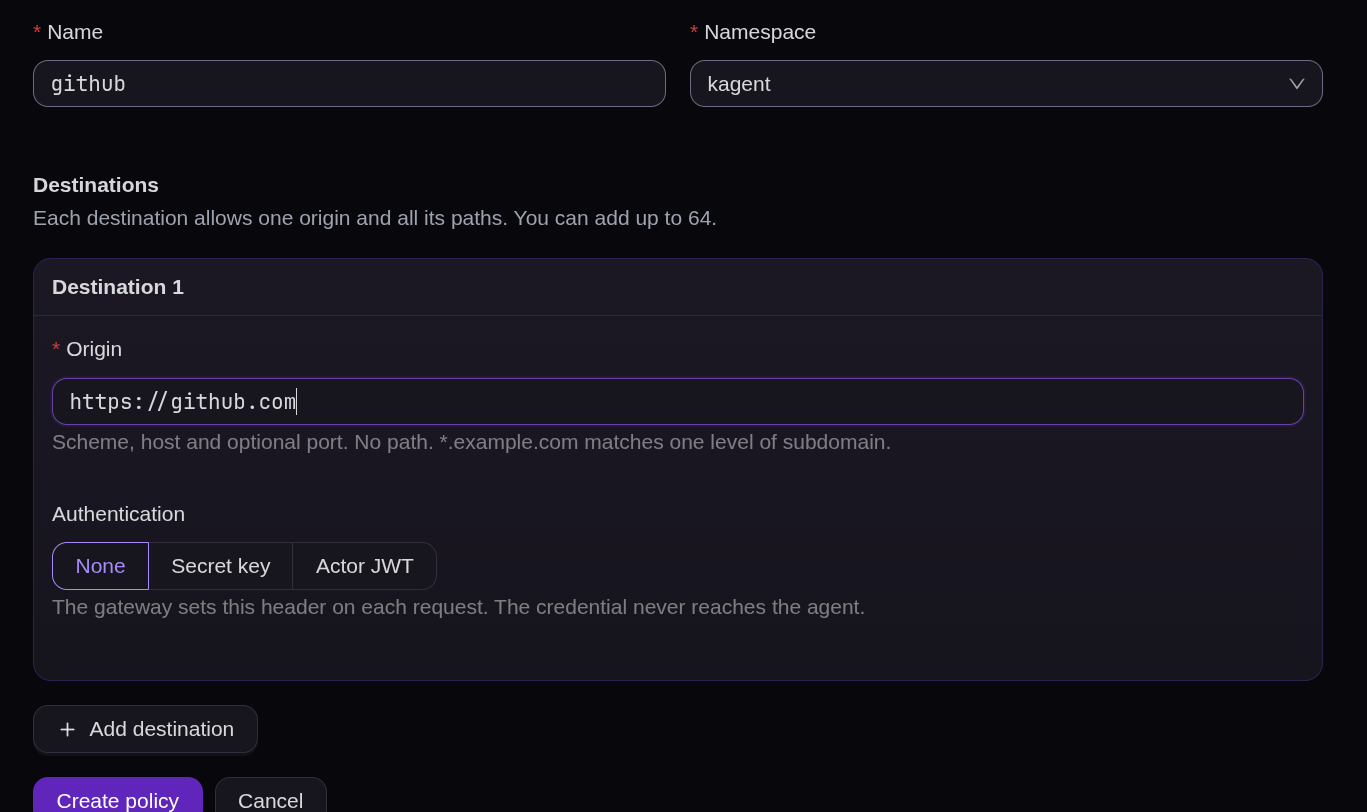
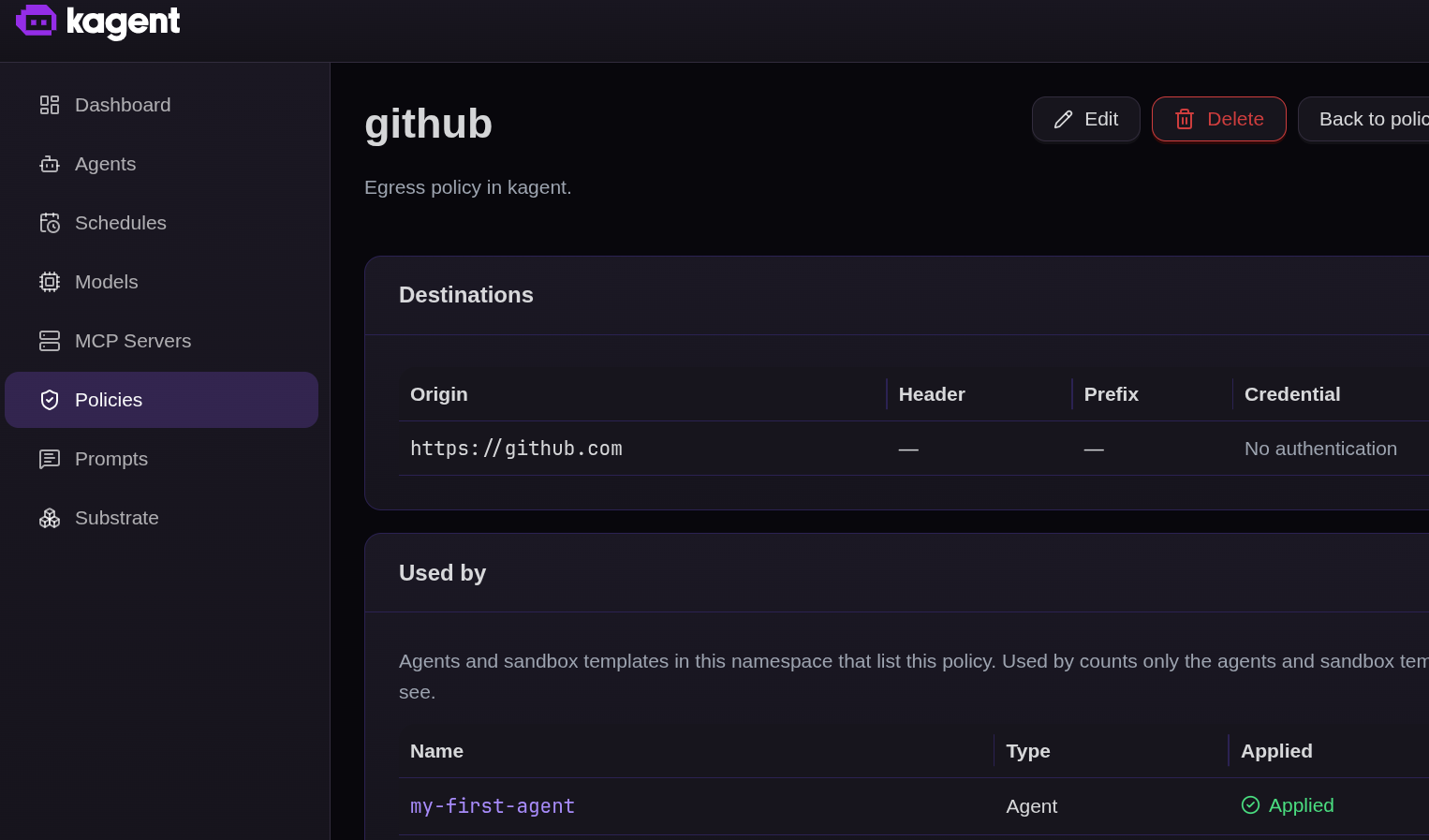
- Give your policy a name and a destination - for example,
https://github.com
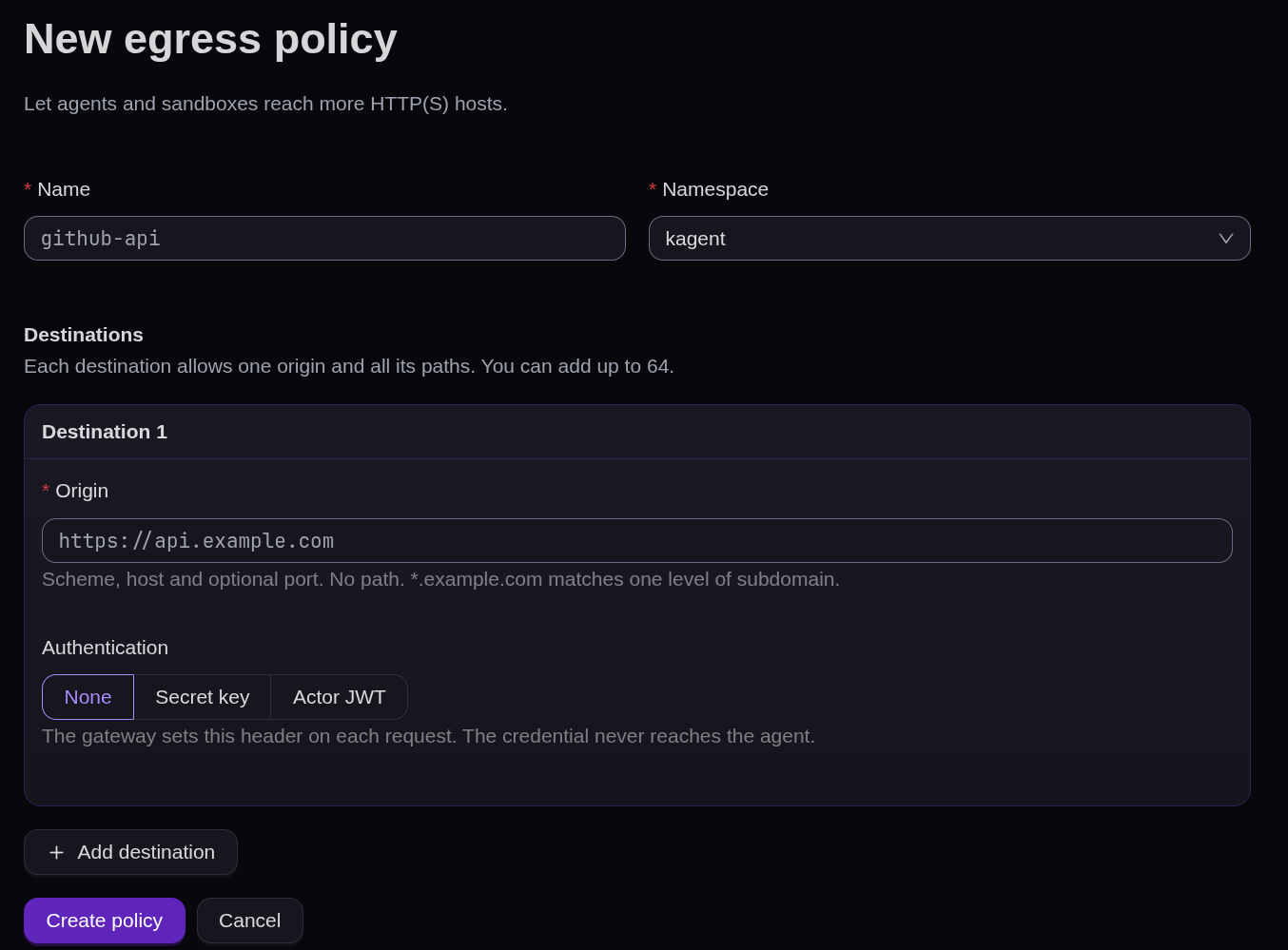
- Once complete, click the purple Create policy button.
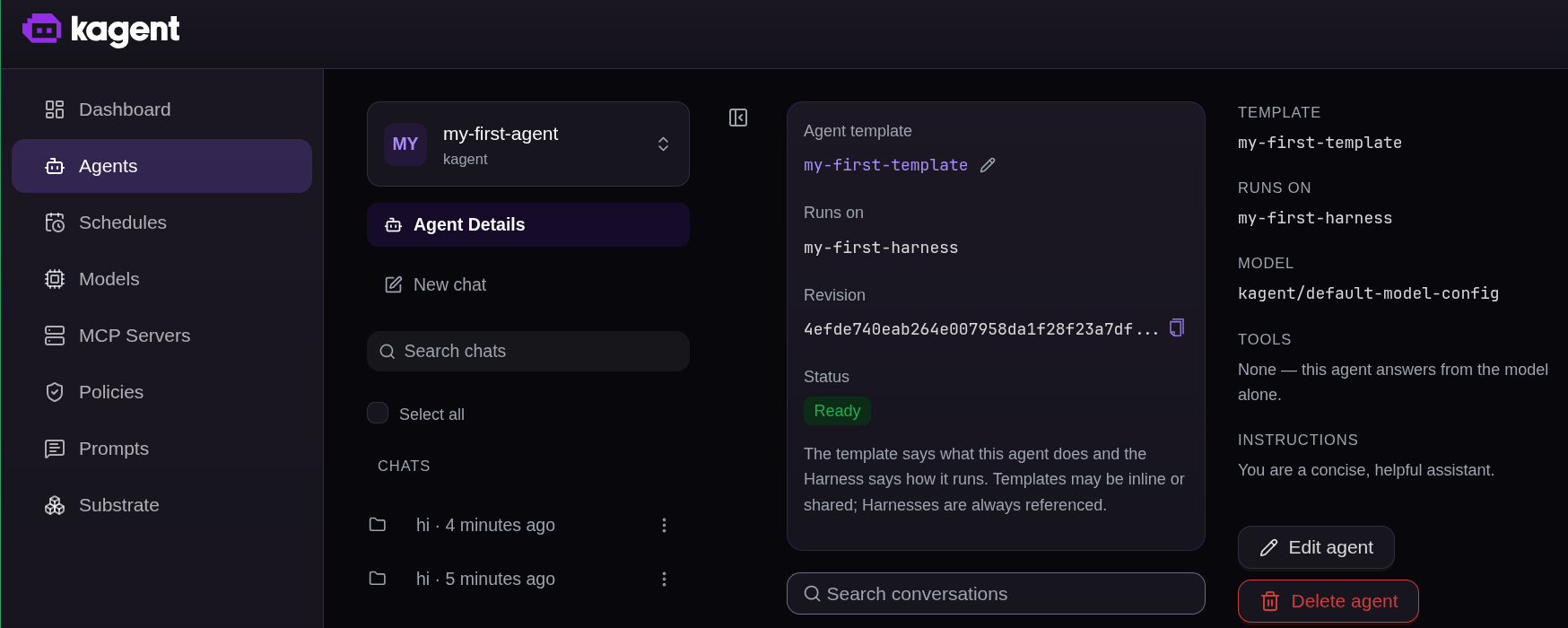
- Within the Agents tab, click on your Agent and then under Agent Details, click the Edit agent button.
- Add your newly created policy under the Egress policies section and then click the purple Save agent button.
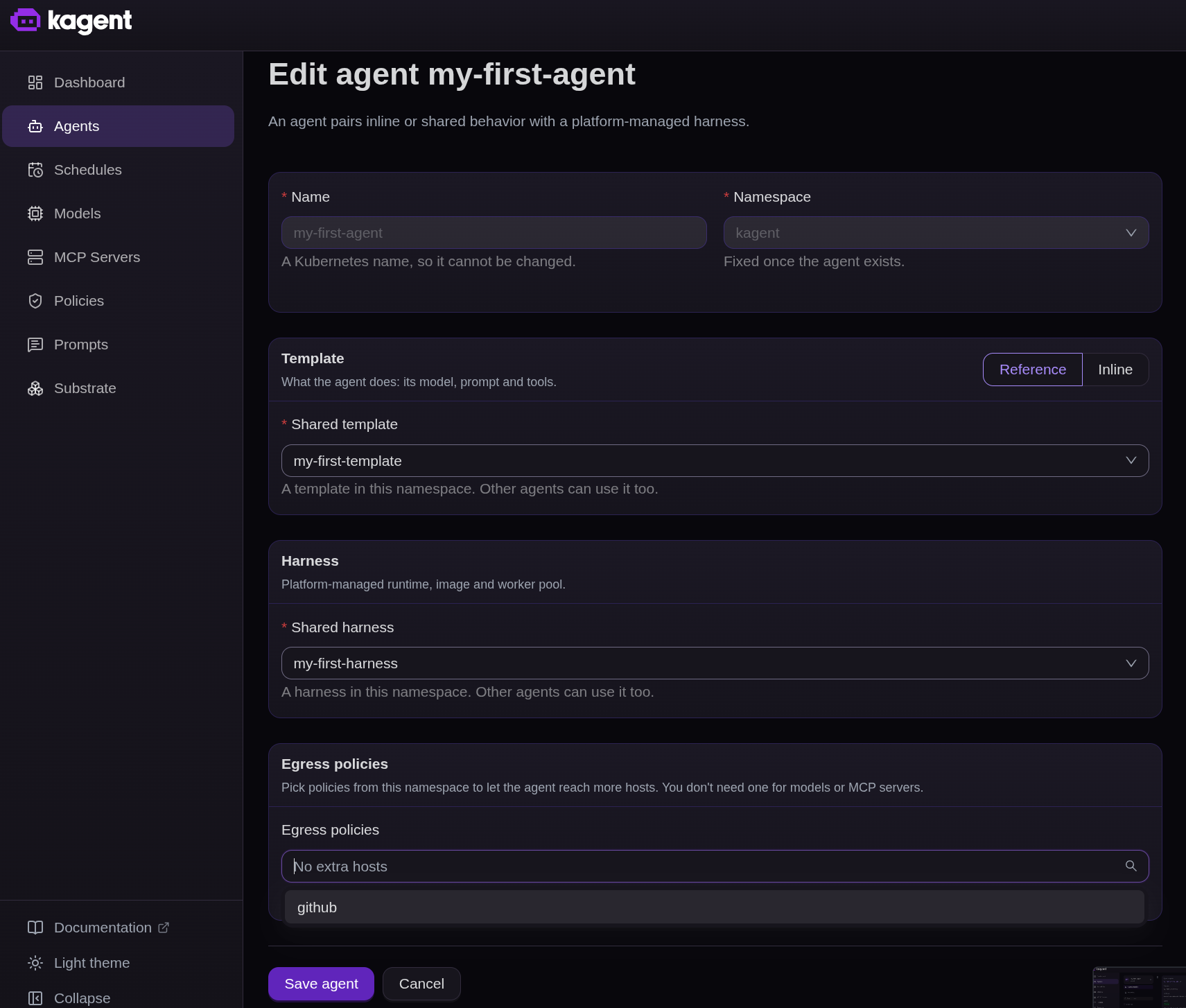
You'll now see the Actor/Actor within the policy tab as it's now using the applied policy.
Programmatic Egress
If you prefer YAML and to do things programmatically, you can use the EgressPolicy object directly instead of using the UI.
kubectl apply -f - <<EOF
apiVersion: api.kagent.dev/v1alpha3
kind: EgressPolicy
metadata:
  name: node-dependencies
  namespace: kagent
spec:
  destinations:
    - origin: https://api.github.com
      authentication:
        header: Authorization
        prefix: "Bearer "
        secretKeyRef:
          name: github-token
          key: token
EOF
This gives you the ability to add it to your CICD or GitOps workflow to make the act of creating, editing, and updating policies automated.
Comments ()